What Is Klipper? Firmware for 3D Printers Explained
Klipper is 3D printer firmware that splits the work between a small computer and the printer board. Here is how it works, what it adds and what it takes to run it.
By Sepehr Sabbagh-pour · Published 10 October 2026 · 4 min read
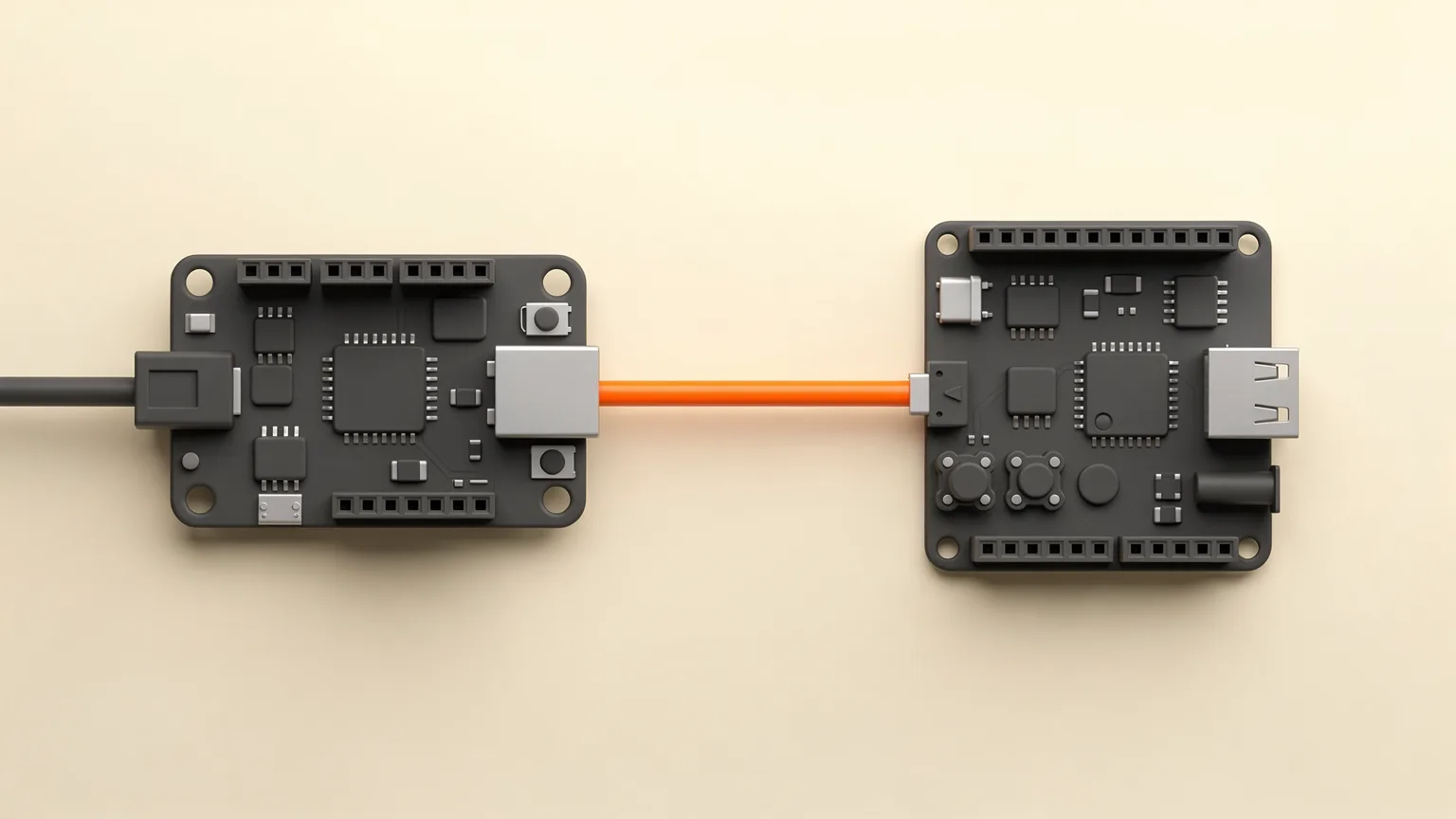
Klipper is 3D printer firmware that moves most of the heavy calculation off the printer's control board and onto a separate small computer. The printer still has its own board, but that board mostly follows instructions. This guide explains how that split works, what Klipper adds, what you need to run it and who should think twice. Everything here comes from the official Klipper documentation, not from our own printing, so treat any numbers as the project's claims.
What does Klipper do?
Firmware is the software that runs on a printer's control board and turns G-code from your slicer into motor moves, heater control and fan speeds. Most printers ship with firmware such as Marlin that does all of this on the board itself. Klipper does it differently.
According to the Klipper documentation, an application processor (such as a low-cost Raspberry Pi) calculates when each stepper motor should step. It compresses those events, sends them to the micro-controller on the printer board, and the micro-controller executes each event at the requested time. The docs state that each stepper event is scheduled with a precision of 25 microseconds or better.
The two halves have names in the docs: the host is the Linux device (the Raspberry Pi or similar) and the MCU is the printer board.
What does Klipper add?
The project's features page lists several things that users usually mention:
- Config file instead of reflashing. All settings are in a standard text file (printer.cfg) on the host. Editing a value does not require flashing the board again.
- Pressure advance. A way to account for pressure inside the extruder. The docs say it reduces extruder ooze and improves the quality of corners. See our retraction settings guide for the related idea of managing ooze.
- Input shaping. Reduces the effect of vibrations. The docs say it can reduce or eliminate ringing (also called ghosting or echoing) and may allow faster printing at similar quality. Our guide to fixing ghosting and ringing covers the symptom.
- Macros. New G-code commands can be defined in the config file, and they can behave differently depending on printer state.
- Built-in API server. A JSON based interface that lets other software control the printer.
- Bed leveling and probing. Basic bed tilt detection or full mesh leveling, with support for many Z probes. See auto bed leveling explained.
- Exclude object. When configured, it lets you cancel one object in a multi-part print.
Klipper also supports many machine layouts, including cartesian, delta, CoreXY and several others listed in the docs. If you are unsure what those words mean, see CoreXY versus bed slinger printers.
What do you need to run Klipper?
| Part | What the docs say |
|---|---|
| Host computer | Recommended: Raspberry Pi Zero 2 W, 3, 4 or 5. Other single board computers and x86 Linux machines also work. |
| Older hosts | Raspberry Pi 1, 2 and Zero 1 are not recommended: print stalls are common on these slower machines. |
| Printer board | Many micro-controllers are supported, including ARM and AVR. Existing RepRap style printers can run Klipper without hardware modification, just add a Raspberry Pi. |
| Config file | Start from a printer-specific file in the Klipper config directory, or the manufacturer's own Klipper config if one exists. |
| Interface | A front end such as Mainsail or Fluidd (through the Moonraker web API), or OctoPrint. |
The installation guide describes flashing Klipper to the printer board as a step, so you need to be comfortable following command line instructions. Mainsail publishes a ready-made image called MainsailOS for Raspberry Pi and some Orange Pi boards, and a third-party installer called KIAUH can install Klipper and Fluidd. Check the install guide for your exact board, because flashing methods vary a lot between boards.
How do you control a Klipper printer?
Klipper supports common LCD displays wired to the printer, but day-to-day control usually happens from a browser. The docs say the best choices are front ends that talk to Klipper through the Moonraker web API, and that you can also use OctoPrint. The two main Moonraker based options are Mainsail and Fluidd. All of them are used from a normal web browser on the same network. If you want to compare with the OctoPrint route, read what OctoPrint is.
Your slicer still does the slicing. Klipper only runs the G-code it produces. If you are new to that step, start with what a slicer is.
Who is Klipper for?
This section is opinion based on the documentation, not on our own use.
- Good fit: people who like adjusting their printer, already own a printer with a Klipper config available, or build their own machine.
- Poor fit: anyone who wants to unbox a printer and print. Klipper adds a computer to maintain, a config file to understand and a flashing step that can go wrong.
Before adding Klipper to a printer you already own, check that a config exists for your exact model (the install guide suggests the Klipper config directory or the manufacturer's website) and that you can undo the change.
Starting points only. This article summarizes the official documentation. Always follow the install guide for your own board and keep a backup of your original firmware or settings before you flash anything.
Frequently asked questions
What is Klipper in simple terms?
Klipper is 3D printer firmware that runs on two devices. A host computer, often a Raspberry Pi, calculates the movements, and the printer's control board carries them out.
Does Klipper need a Raspberry Pi?
Klipper needs a host computer running Linux. The official documentation recommends a Raspberry Pi Zero 2 W, 3, 4 or 5, and says other single board computers and x86 Linux machines can also work. Older Raspberry Pi 1, 2 and Zero 1 boards are not recommended because print stalls are common.
Is Klipper the same as OctoPrint?
No. Klipper is firmware that controls the motors and heaters. OctoPrint is a web interface for controlling a printer. OctoPrint can be used as a front end for a Klipper printer, but you can also use Mainsail or Fluidd instead.
Do I need to reflash the board to change a setting in Klipper?
No. According to the Klipper documentation, all configuration is stored in a standard config file, so changing a setting does not require reflashing the micro-controller.
Sources

Founder and editor
Software engineer since 2009 and Head of Engineering by day, a maker who has owned several 3D printers, writing practical guides to 3D printers, filament and running costs, with every article saying what was and was not tested.
Keep reading
Free CAD Software for 3D Printing: Where to Start
Six free CAD options for designing your own 3D prints, with the platform, license terms and limits of each, and a simple way to pick where to start.
10 October 2026 · 8 min read
Brim vs Raft vs Skirt: Which Bed Adhesion Helper to Use
A skirt primes the nozzle, a brim widens the first layer and a raft builds a base. Here is what each does and when to use it, from slicer documentation.
10 October 2026 · 6 min read

Cura for Beginners: Setup and First Slice
A step-by-step beginner guide to Cura: install, add your printer, choose Recommended settings, slice, preview and print your first model.
10 October 2026 · 4 min read