How to Choose Your First 3D Printer in the UK: A Buyer's Checklist
Skip the spec-sheet noise. Decide what you want to make, set a realistic budget, check the features that matter, and know your UK consumer rights before you pay.
By Sepehr Sabbagh-pour · Published 10 October 2026 · 3 min read
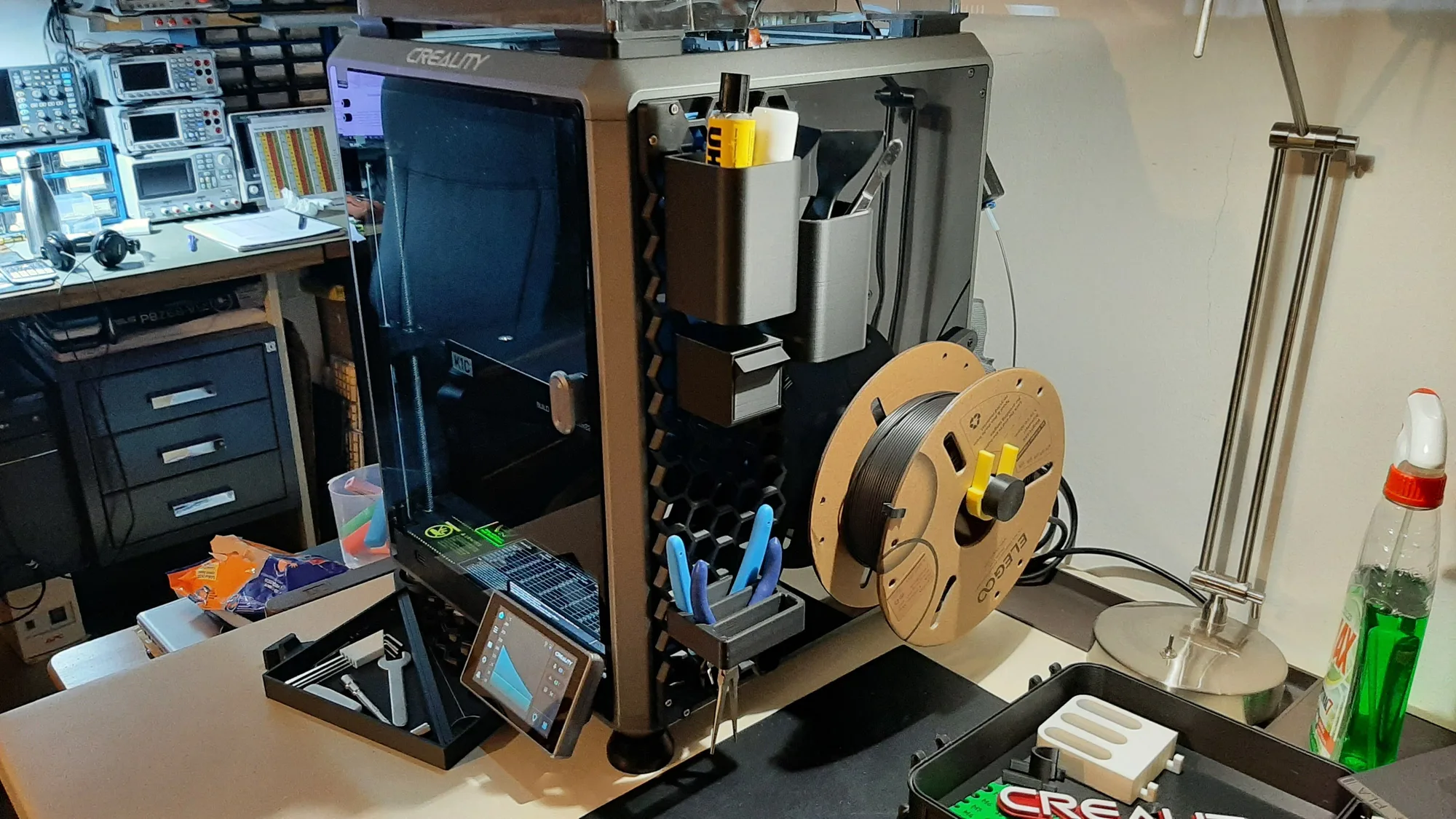
The best first 3D printer is the one that prints reliably with the least fiddling, in a size and price you will not regret. Most buyers over-focus on speed figures and under-focus on whether the machine will still be supported in two years. Use this checklist in order.
1. Decide what you want to print
Write down the first five things you actually want to make. Small figures and gadgets are happy on almost any modern printer. Functional parts that live in a hot car or near a radiator push you towards tougher materials and an enclosure. Large props or cosplay need a big build volume. If your list is mostly “I just want to try it”, buy a reliable entry-level machine and learn.
2. Set a budget tier
As a rough guide, and prices move often so check current listings:
- Entry-level, roughly £150 to £300. Good enough to learn on. Expect open frames, a bed that moves back and forth, and PLA and PETG as the sensible materials.
- Mid-range, roughly £300 to £700. Faster, more rigid, often enclosed, with better sensors and sometimes multi-colour systems.
- Above that, you are mostly paying for size, multiple tool heads, or materials that need a hot, closed chamber.
3. Check the features that matter
| Feature | Why it matters |
|---|---|
| Automatic bed levelling | Removes the most common beginner frustration. See our first layer checklist for what it does and does not fix. |
| Rigid frame | A stable frame prints cleaner and survives faster speeds. Wobble shows up as ripples in the walls. |
| Direct-drive extruder | Easier retraction tuning and much better with flexible filament such as TPU. |
| Enclosure | Helps with ABS and similar materials, draughts and noise. Not essential for PLA. See enclosed vs open frame. |
| Filament run-out and power-loss recovery | Saves long prints from a tangled spool or a brief power cut. |
| Remote monitoring | Convenient, but check whether it needs the manufacturer’s cloud or works on your local network. |
| Community and spares | A large user base means answers, upgrades and replacement parts years later. |
4. Check the UK-specific details
- Stock location. Parcels from outside the UK can attract import VAT, duty and courier handling fees. A UK or EU warehouse price is often the real price.
- Plug and power. Confirm the printer ships with a UK plug or a correct adapter and runs on 230V.
- Warranty and returns. Find out who handles a faulty unit and who pays return postage on a heavy box. Under the Consumer Rights Act 2015 you generally have 30 days to reject a faulty item, and online purchases usually carry a 14-day cancellation right. Check the seller’s terms and the government’s consumer guidance for your case.
- Spares. Can you buy a nozzle, hotend and build plate in the UK without waiting weeks?
5. Think about space, noise and safety
Printers run for hours. Give yours a stable, non-flammable surface, away from curtains and clutter, with room to open the lid and reach the spool. Fans and moving beds are audible, so a spare room or garage can be kinder than a bedroom. Follow the manufacturer’s safety guidance, fit a working smoke alarm nearby, and be sensible about leaving a heated machine unattended.
6. Budget for what happens after you buy
Filament, a spare nozzle or two, a scraper and a few small tools add up. Electricity is usually the smaller cost; our running-costs guide and the print cost calculator show how to price a print.
Five questions before you pay. What will I print first? Is it in stock in the UK? Who handles a fault? Can I get spares locally? Will I still be happy with this in a year?
Frequently asked questions
How much should I spend on a first 3D printer?
Enough to get a reliable machine with automatic levelling and decent support, which today usually means somewhere in the entry-level to lower mid-range tier. Spending more only makes sense if you already know you need size, an enclosure or multi-colour printing.
Is a very cheap printer a false economy?
Often, yes. The saving can disappear in import costs, missing features and time spent tuning, and spares or support may be thin. A well-supported entry-level machine is usually the better start.
Do I need to know CAD to start?
No. You can download ready-made models from the big model-sharing sites and learn design later. Slicing software, which prepares a model for printing, is the only tool you need on day one.

Founder and editor
Software engineer since 2009 and Head of Engineering by day, a maker who has owned several 3D printers, writing practical guides to 3D printers, filament and running costs, with every article saying what was and was not tested.
Keep reading
Best Resin 3D Printers: What to Look For
Four consumer resin printers from $179 to $499, compared on maker-listed screens, build volumes and speeds. A research-only list, not a test, with the method stated.
10 October 2026 · 6 min read
Best Budget 3D Printers: What to Look For
Four budget FDM printers from $179 to $349, compared on listed specs and US prices from maker pages. A research-only list, not a test, with the selection method stated.
10 October 2026 · 6 min read
Best 3D Printers for Beginners: How to Choose
A spec and price shortlist of four beginner-friendly 3D printers, with the downsides of each and a way to choose between them. Research only, not tested.
10 October 2026 · 6 min read