0.2, 0.4 or 0.6 mm? What Nozzle Size Actually Changes
The standard 0.4 mm nozzle is a good all-rounder, but swapping size trades detail for speed and strength. Here is what changes and what to watch for.
By Sepehr Sabbagh-pour · Published 10 October 2026 · 2 min read
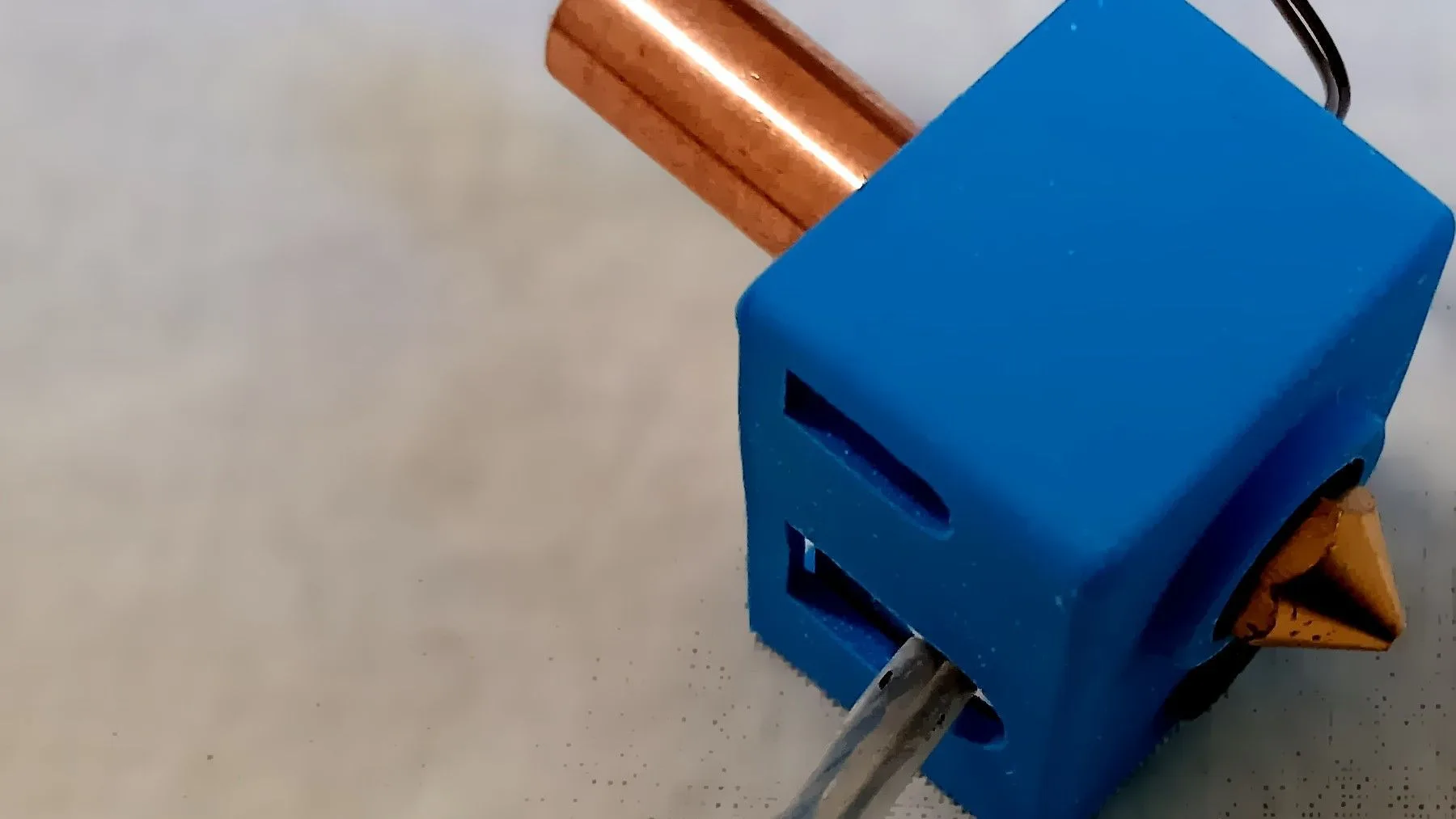
The nozzle is where the plastic comes out, and its diameter shapes how a print looks, how fast it prints and how strong it is. Most printers ship with a 0.4 mm nozzle for good reason, but swapping is cheap and worth understanding.
What nozzle diameter changes
| Nozzle | Strengths | Trade-offs |
|---|---|---|
| 0.2 mm | Very fine detail, small text and miniatures | Slow, easy to clog, needs clean, dry filament |
| 0.4 mm | The best balance of detail, speed and reliability | A compromise at both extremes |
| 0.6 mm | Faster, thicker lines, stronger walls, fewer clogs | Less fine detail, more visible layers |
| 0.8 mm and up | Very fast for big, simple parts | Rough surface, poor small detail |
Layer height depends on the nozzle
As a rule of thumb, keep layer height between about 25% and 75% of the nozzle diameter. A 0.4 mm nozzle commonly prints at 0.12 to 0.3 mm. A 0.6 mm nozzle can print at 0.2 to 0.45 mm, which is why large nozzles are so much faster: thicker lines and layers deposit more plastic per minute.
Flow limits
Each hotend can only melt so much plastic per second. A bigger nozzle does not help if the hotend cannot keep up, so the speed gain is capped by the hotend’s melting capacity. If your prints under-extrude at high speed, it is usually this limit rather than the nozzle itself.
When you need a hardened nozzle
Standard brass nozzles wear quickly when printing abrasive filaments, such as carbon-fibre or glass-fibre filled materials and glow-in-the-dark types. Hardened steel or similar nozzles resist wear but conduct heat less well, so you may need a slightly higher temperature. They are worth fitting before you start printing abrasive filament, not after the brass one wears out. For help choosing materials, read PLA vs PETG vs ABS vs TPU.
Practical points when swapping
- Tell the slicer. Set the new nozzle diameter and use a matching profile; otherwise line widths and flow will be wrong.
- Check compatibility. Many printers take standard threaded nozzles, but some use proprietary quick-swap designs, so buy the right type for your hotend.
- Tighten hot. Most guides recommend tightening a nozzle at printing temperature to prevent leaks; follow your manufacturer’s instructions and be careful of burns.
- Re-tune the first layer. A different nozzle can change the Z offset slightly; see our first layer checklist.
Simple rule. Keep a 0.4 mm nozzle for everyday printing. Buy a 0.6 mm one when you print big, plain parts and want speed and strength. Only go to 0.2 mm if you really need fine detail and have patience.
Frequently asked questions
Is a 0.4 mm nozzle the best for beginners?
Yes. It prints a wide range of models well, profiles and advice are written for it, and it avoids the clogging of very small nozzles.
Are bigger nozzles always faster?
Only up to the hotend’s melting limit. A larger nozzle lays down thicker lines, which can cut print time on big parts, but once the hotend cannot melt plastic fast enough, extra speed gives under-extrusion rather than gains.
Do I need to change anything in the slicer after swapping nozzles?
Yes. Set the new nozzle diameter and use or create a profile for it, then check line width and first-layer settings before a big print.

Founder and editor
Software engineer since 2009 and Head of Engineering by day, a maker who has owned several 3D printers, writing practical guides to 3D printers, filament and running costs, with every article saying what was and was not tested.
Keep reading
PLA vs PETG vs ABS vs TPU: Which Filament Should You Use?
Four materials cover most home printing. Here is what each is good at, what it demands from your printer, and how to choose without overthinking it.
10 October 2026 · 2 min read
ABS vs PETG: Which Should You Print With?
ABS and PETG are both tougher than PLA. PETG prints easily on open printers; ABS needs an enclosure but can be smoothed with acetone. Here is how to choose.
10 October 2026 · 7 min read
ASA vs ABS: Differences and When to Choose Each
ASA is the UV-stable successor to ABS with less warping and odor. Here is how they compare on temperature, outdoor use, printing and finishing.
10 October 2026 · 7 min read