What Is Resin 3D Printing? How It Works
Resin 3D printing hardens liquid photopolymer with UV light one layer at a time. Here is how SLA, DLP and MSLA differ, typical specs, and what a beginner needs.
By Sepehr Sabbagh-pour · Published 10 October 2026 · 5 min read
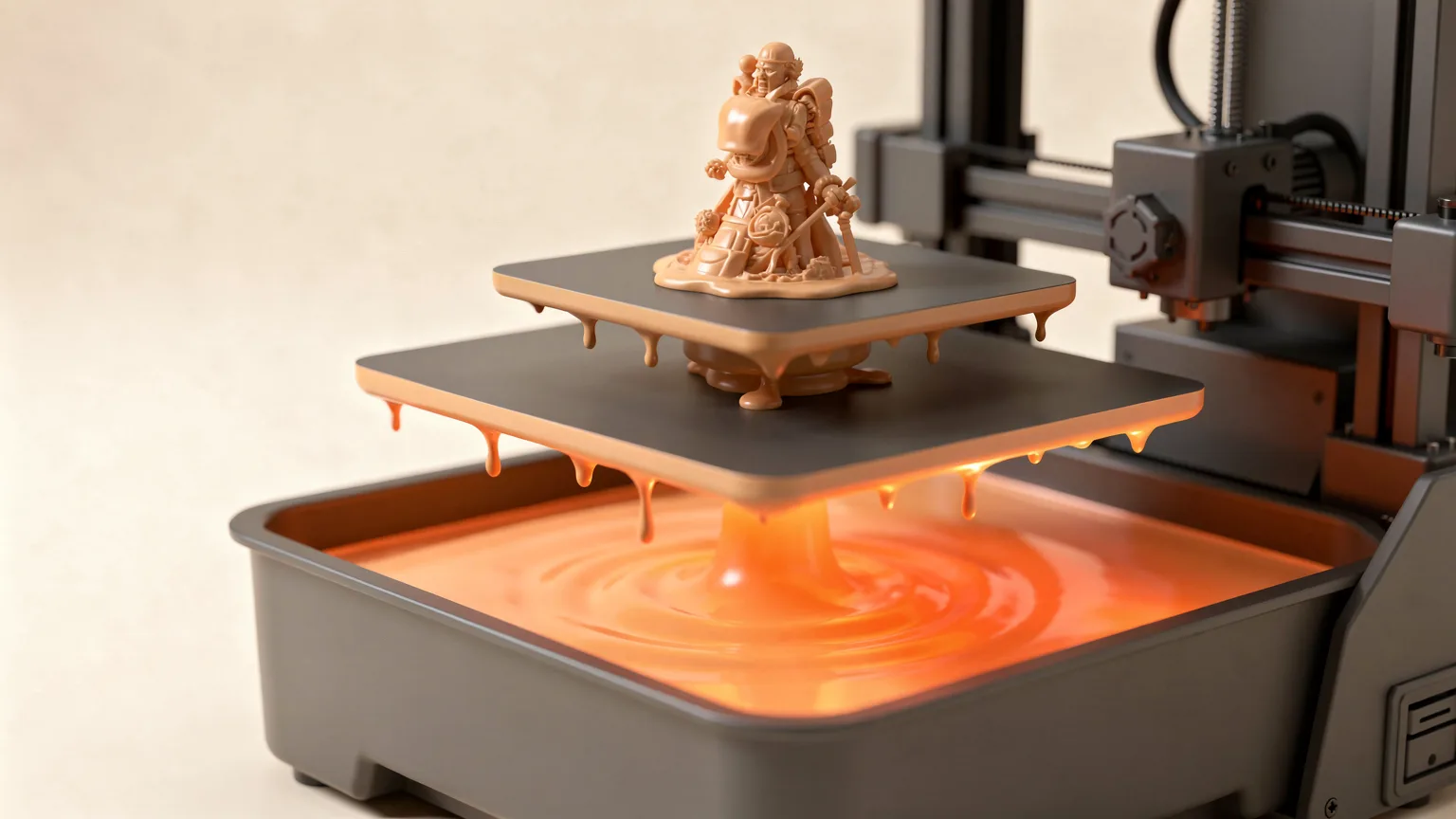
Resin 3D printing builds objects from liquid plastic that hardens when UV light hits it. Instead of melting a filament through a nozzle, the printer exposes thin layers of liquid resin to light, one layer at a time. This guide explains how it works, the main technologies, typical values, and the mistakes that catch new users. It is based on maker documentation and reference sources, not on our own printing.
The short answer
Resin printing is a form of vat photopolymerization. A vat holds liquid photopolymer resin. A light source cures a layer of that resin, the build plate moves, and the next layer is cured on top. When the print finishes, the part is covered in wet resin, so it has to be washed and then cured further with UV light. Most consumer machines use the technique called SLA, or in the consumer case MSLA.
How resin printing works
Prusa's knowledge base describes resins as photopolymers that are cured (solidified) by UV light, and notes that this includes sunlight. They usually consist of three basic components:
- The core of the resin: monomers and oligomers.
- Photoinitiators: molecules that react to UV light and start the solidifying process.
- Additives: admixtures that change the color and properties of the resin, for example to make it harder or tougher.
Wikipedia describes stereolithography as using light to make chemical monomers and oligomers cross-link into polymers. On the common bottom-up design, the build plate lowers into a vat with a transparent bottom, light shines up through that bottom, and the cured layer sticks to the plate while the plate lifts. New liquid resin then flows in below it. The cycle repeats for every layer.
SLA, DLP and MSLA
The difference between the technologies is how each layer of light is created.
- SLA: a UV laser draws each layer.
- DLP: a projector flashes a whole layer at once.
- MSLA (LCD masking): a UV light source sits behind an LCD screen, and the screen blocks light everywhere except the shape of the layer. Maker spec sheets for budget printers, such as the Elegoo Mars 5, list the printing technology as MSLA with a 405 nm COB light source and a monochrome LCD.
Wikipedia notes one advantage of LCD-based systems: extra detail in a layer does not meaningfully increase print time, so filling the plate with several parts saves time compared with printing them one by one.
Typical values
| Item | Typical listed value | Example source |
|---|---|---|
| Light wavelength | 405 nm | Prusa resin guide; Elegoo Mars 5 spec sheet |
| Layer thickness | 0.01 to 0.2 mm (Elegoo Mars 5); 0.03 to 0.15 mm (Anycubic Photon Mono 4) | Maker spec sheets |
| XY resolution | 35 µm on a 4K screen; 17 x 17 µm on a 10K screen | Maker spec sheets |
| Vertical print speed | Up to 50 to 150 mm/h, depending on model and resin | Maker spec sheets |
| Safe storage temperature | 18 to 32 °C | Prusa resin guide |
Speeds are in height per hour, not per layer, because every layer is exposed in one go. A short model that fills the plate takes roughly the same time as one that fills a corner of it.
What you need to start
- A resin printer. See our best resin 3D printers shortlist for prices and specs.
- Resin that matches your printer's wavelength. Check the wavelength and the exposure times the resin maker recommends. Prusa warns that badly mismatched exposure times can even damage a printer. Types are covered in types of 3D printer resin.
- Nitrile gloves and a ventilated space. See resin 3D printing safety basics.
- Washing and curing gear. Prints need both steps, explained in how to wash and cure resin prints.
Resin vs filament
Resin printers suit small, highly detailed models. Wikipedia lists the downsides plainly: washing, drying, curing and sometimes support removal are extra hands-on steps, and photopolymers are sticky and messy and need careful handling. Filament printers avoid those steps. For a full comparison, read FDM vs resin 3D printers, or see how a filament printer works.
Common mistakes
- Skipping gloves. The manufacturer guidance is to avoid skin contact with liquid resin.
- Leaving resin in sunlight. Resin cures in UV light, including sunlight, so store it in opaque bottles away from light.
- Storing resin cold. Prusa warns that cold storage can cause gelation and that low temperatures change viscosity.
- Using the wrong exposure. Use the exposure the resin maker recommends for your printer and screen, not a number copied from a different machine.
- Treating resin like household waste. Prusa says to treat liquid resins as dangerous chemicals and follow local disposal rules.
Remember: resin printing trades convenience for detail. The print is only half the work. Washing, curing and safe handling are part of every job, so factor them in before you buy.
Frequently asked questions
What is resin 3D printing?
It is a 3D printing method that uses UV light to harden liquid photopolymer resin one thin layer at a time. After printing, the part is washed and cured with more UV light.
What is the difference between SLA, DLP and MSLA?
They differ in how each layer of light is made. SLA draws the layer with a UV laser, DLP flashes it with a projector, and MSLA shines a light through an LCD screen that masks the layer shape.
Do resin prints need washing and curing?
Yes. Parts come off the printer covered in liquid resin. Reference sources list washing, drying and curing as standard post-processing steps for resin prints.
Is resin printing better than filament printing?
Neither is better overall. Resin suits small detailed models but adds cleanup and handling steps. Filament printers are simpler to run for larger functional parts.
Sources

Founder and editor
Software engineer since 2009 and Head of Engineering by day, a maker who has owned several 3D printers, writing practical guides to 3D printers, filament and running costs, with every article saying what was and was not tested.
Keep reading

Elegoo Saturn 4 Ultra: Specs, Price and Who It Suits
The Elegoo Saturn 4 Ultra is a 10-inch 12K mono LCD resin printer announced in April 2024. This page lists the maker's specs and price, what changed from the Saturn 3 Ultra, and who it may suit.
10 October 2026 · 5 min read
PLA vs PETG vs ABS vs TPU: Which Filament Should You Use?
Four materials cover most home printing. Here is what each is good at, what it demands from your printer, and how to choose without overthinking it.
10 October 2026 · 2 min read
0.2, 0.4 or 0.6 mm? What Nozzle Size Actually Changes
The standard 0.4 mm nozzle is a good all-rounder, but swapping size trades detail for speed and strength. Here is what changes and what to watch for.
10 October 2026 · 2 min read