How to Stop PETG Stringing
PETG is prone to stringing. Fix it in this order: dry the spool, lower the nozzle temperature, tune retraction, shorten travel moves, then check cooling and the nozzle.
By Sepehr Sabbagh-pour · Published 10 October 2026 · 4 min read
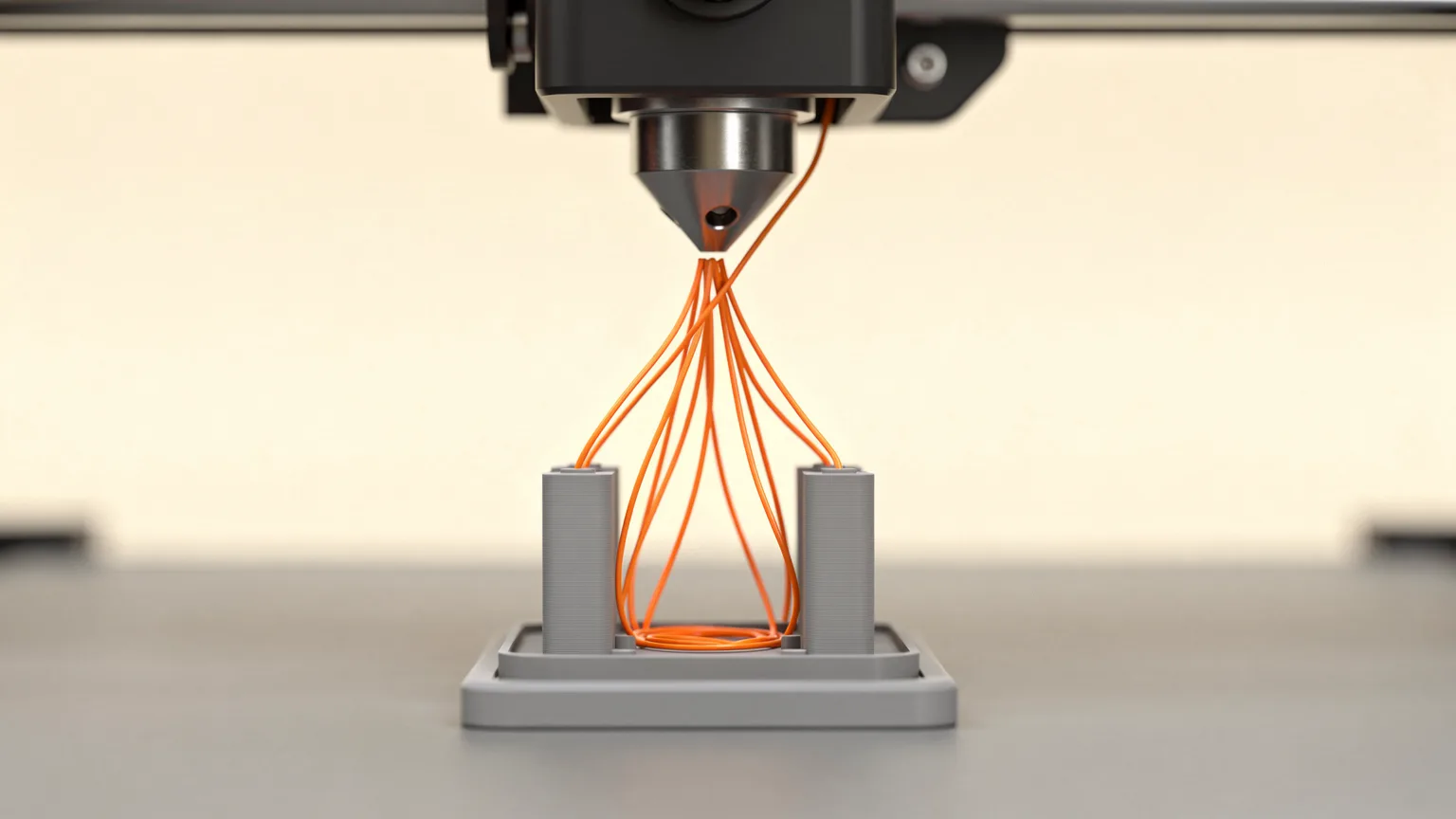
PETG strings easily. Prusa lists "possibility of stringing" among the cons of PETG in its material guide, so thin hairs between parts are a normal complaint rather than a sign of a faulty printer. The fix is to make the melt less runny, stop it leaking during travel moves, and keep the plastic dry.
Research-based guide. This article is compiled from manufacturer documentation and has not been checked on a test printer. Treat every number as a starting point and change one setting at a time.
Symptoms and the usual cause
| What you see | Likely cause | First thing to try |
|---|---|---|
| Hairs plus crackling or bubbles | Damp filament | Dry the spool |
| Fine hairs between every part | Nozzle too hot | Lower temperature 5 to 10 degrees C |
| Blobs and strings after travel moves | Retraction too weak | Raise retraction speed or distance slightly |
| Strings only on multi-part plates | Long travel moves | Move parts closer, avoid crossing walls |
| Strings after many PETG hours | Residue in the nozzle | Clean or replace the nozzle |
1. Dry the spool
Bambu Lab's wiki says moisture vaporizes in the hot nozzle, causing the molten material to burst and flow abnormally. Prusa makes the same point and suggests trying a different spool to see whether the filament is the problem. Follow the drying temperature and time printed on the spool or the maker's guidance. Our guide to drying filament covers the general method, and storing it sealed with desiccant keeps it dry afterwards.
2. Lower the nozzle temperature
Prusa says lowering the temperature decreases the occurrence of strings and suggests dropping the nozzle temperature by 5 to 10 degrees C and checking whether stringing improves. For reference, Prusa's PETG page lists 230 degrees C for the first layer and 240 degrees C for the other layers as recommended settings, though its own slicer profiles for specific Prusament PETG may differ. Check the range printed on your spool, and stay inside it. Going too cold risks weak layers and under-extrusion. See PETG print temperature for more on choosing a starting point.
3. Tune retraction
Retraction pulls filament back before a travel move so it does not leak across the gap. Prusa explains the main settings: retraction length, retraction speed and minimum travel after retraction. Its notes include these limits:
- On the MK2.5 and MK3 family, keep retraction length at 2 mm or less.
- The MINI preset uses a longer 3.2 mm default because of its Bowden extruder.
- A higher retraction speed improves stringing, but too high can make the extruder motor skip steps.
- A larger minimum travel distance gives shorter print times but more oozing and stringing.
Bambu Lab recommends increasing retraction length or speed appropriately, and keeping length no greater than 2 mm because overly long retraction can cause clogging. For a deeper explanation of each setting, read retraction settings explained.
4. Shorten and simplify travel moves
Fewer and shorter travel moves leave less time for the nozzle to ooze. Both makers suggest the same slicer options:
- Enable the "avoid crossing perimeters" option (Prusa) or "avoid crossing wall" (Bambu Studio) so travel stays inside the part.
- Reduce the spacing between objects on the plate.
- Prusa also notes that printing objects one at a time (sequential printing) lowers the chance of strings between parts, but warns to watch the print closely for collisions.
5. Keep the part cooling fan working
Prusa's PETG guide says cooling the print keeps the model detailed and prevents stringing and oozing. Its suggested approach is to run the first few layers with the fan off to prevent deformation, then at around half power. If you want the strongest possible part, Prusa notes the fan can be turned off for better layer bonding, but that trades away the anti-stringing benefit.
6. Check the nozzle
Prusa warns that long runs of PETG can leave a thin layer inside the nozzle, which causes stringing as strands stick to the print. Clean the nozzle thoroughly, especially after switching materials. Bambu Lab adds that a worn nozzle should be replaced, and that a nozzle larger than the slicer profile assumes will push out too much plastic, so make sure the nozzle in the slicer matches the real one. If your hotend is the type Prusa describes, poor heat dissipation at the heatbreak can also contribute.
How to confirm the fix
Print a small test with two thin towers a few centimeters apart. Change one setting, print it again and compare. If the towers come out clean, print a model with more travel to confirm. If the problem persists across all of the above, the general advice in our general stringing guide may help.
The last resort
Prusa mentions a heat gun set to around 200 degrees C held on the strings for one or two seconds. Holding it longer can deform the part. Prevention through the steps above is neater and quicker.
Frequently asked questions
Why does PETG string more than PLA?
Prusa lists a possibility of stringing as a drawback of PETG in its material guide. The usual levers are a lower nozzle temperature, more retraction, dry filament and working part cooling.
What retraction distance should I use for PETG?
There is no single value. Prusa says its MK3 class printers should stay at 2 mm or less, while its Bowden-fed MINI preset defaults to 3.2 mm. Bambu Lab generally recommends no more than 2 mm. Start from your slicer profile and change in small steps.
Does wet PETG cause stringing?
Yes. Both Prusa and Bambu Lab name moisture as a cause of stringing. If the spool crackles, looks fuzzy or strings badly after other changes, dry it before tuning anything else.
How do I remove strings from a finished PETG part?
Prusa suggests a heat gun at around 200 degrees C aimed at the strings for one or two seconds, taking care not to deform the part. A lighter is possible but needs great care.
Sources

Founder and editor
Software engineer since 2009 and Head of Engineering by day, a maker who has owned several 3D printers, writing practical guides to 3D printers, filament and running costs, with every article saying what was and was not tested.
Keep reading
How to Fix a Nozzle That Is Too Close to the Bed (Z Offset)
A nozzle set too close squashes the first layer and can scrape the plate. Here is how to recognise it, raise the Z offset safely and make the setting stick.
10 October 2026 · 4 min read
3D Printer Problems and Fixes: A Troubleshooting Guide
A symptom-first guide to common 3D printer problems: what causes them and what to try first, based on manufacturer troubleshooting documentation.
10 October 2026 · 7 min read
How to Clean a 3D Printer Nozzle and Fix a Clog
How to spot a clogged nozzle and clear it, from a hot push and needle clean to a cold pull, plus prevention tips. Steps follow Prusa's documentation.
10 October 2026 · 7 min read