3D Printer Maintenance Checklist
A practical 3D printer maintenance checklist: daily cleaning, monthly rail and fan checks, and quarterly lubrication, drawn from Bambu Lab and Prusa documentation.
By Sepehr Sabbagh-pour · Published 11 October 2026 · 6 min read
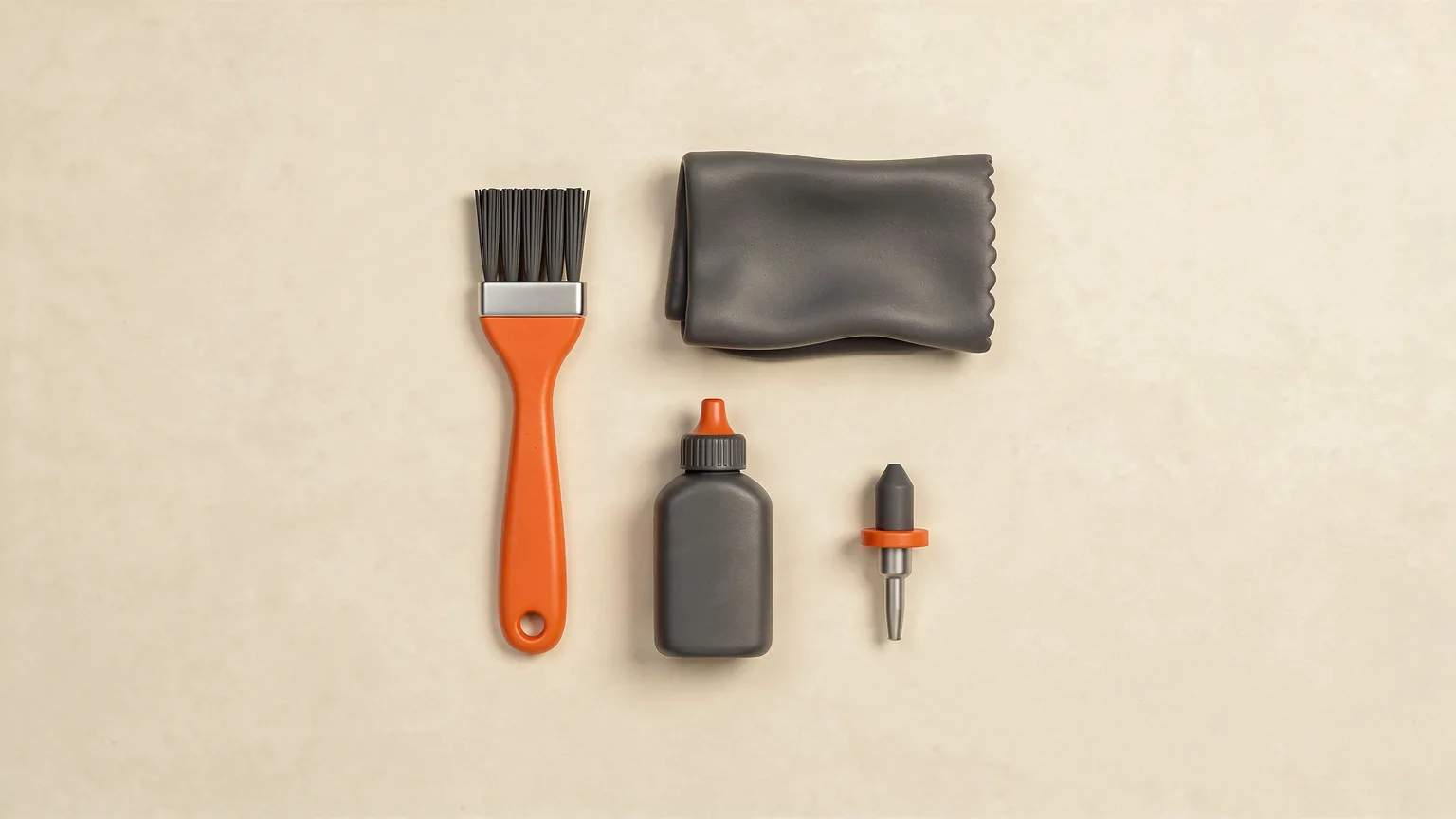
This 3D printer maintenance checklist groups the jobs by how often they come up. The intervals below come from the published maintenance pages of Bambu Lab (A1 and P1 series) and Prusa (CORE One). This is desk research from manufacturer documentation, not a test of any printer. Other models differ, so treat the numbers as a sensible starting point and check your own manual.
The checklist at a glance
| When | Job | Source |
|---|---|---|
| Before every print | Remove debris from the printer and under the bed; clean plastic residue from the nozzle and heater block; clean the print sheet | Prusa CORE One |
| Weekly | Check the part cooling fan and hotend cooling fan ducts for dust and filament scraps | Bambu Lab A1 |
| Monthly | Clean and re-lubricate the X and Y rails (A1); wipe the carbon rods and check the Y and Z rods (P1 series); clean the hotend heating assembly (A1) | Bambu Lab A1, P1 |
| Every 3 months | Grease the Z lead screws; oil the idler pulleys (A1); anti-rust coat on P1 Y and Z rods | Bambu Lab A1, P1 |
| Every 3 to 6 months | Lubricate the X linear rail with the dedicated rail lubricant (Prusa) | Prusa CORE One |
| Every 200 printing hours | Axes, belt, fan and extruder checks | Prusa CORE One |
| Every 5 spools | Clean the nozzle and extruder gear when printing PLA or PETG; every 2 spools for carbon fiber filament (A1) | Bambu Lab A1 |
Before every print: keep it clean
Prusa advises checking a few things before every print. First, keep the printer free of debris. After several hours of printing, filament pieces, dust, broken supports and scraps collect around the printer and under the heated bed. A brush, small broom or vacuum is enough.
Second, clean the hotend. Prusa describes heating the nozzle to 250 °C for three to five minutes so old filament softens, then using a small brass brush to clear plastic from the nozzle and heater block. Keep the brush away from the hotend cables to avoid a short circuit. Heated parts can cause severe burns, and Prusa says the hot parts take roughly 10 minutes to cool to ambient temperature, so check the display before touching anything.
Third, look after the print surface. Prusa warns that acetone should only be used, sparingly, on the smooth print sheet. It must never be used on the textured or satin sheet, and the special PA Nylon sheet must never be cleaned with acetone or alcohol-based solvents. If a first layer will not stick, a dirty sheet is the most common cause, so see our guide to fixing a bad first layer. Our explainer on build plates covers the sheet types.
Weekly and monthly: fans, rails and rods
Bambu Lab lists the A1 part cooling fan and hotend cooling fan as weekly checks: look for foreign objects or dust in the air duct and clean them out with a cloth or tweezers. Prusa suggests checking both fans after every few hundred hours of printing and says never to blow compressed air on a running fan.
For the A1's X and Y rails, Bambu Lab recommends a monthly clean and lubrication. Use tweezers to remove lumpy or stringy debris, wipe off fine particles and stains with a dust-free cloth, re-lubricate with lubricant oil, then slide the tool head or bed back and forth so the oil spreads along the whole rail.
The P1 series is different. Its X-axis carbon rods get no grease at all: Bambu Lab says to wipe them with isopropyl alcohol on a clean microfiber cloth about once a month, and warns that grease causes buildup and premature wear. The Y and Z linear rods are also checked monthly, or every five rolls of volatile filaments such as ABS and ASA. If you clean them with isopropyl alcohol, Bambu Lab says to apply a thin uniform coat of oil or grease afterwards to prevent rust, and to keep the alcohol away from the bearings.
Every few months: lubrication
Z-axis lead screws need grease about every three months on both brands' documentation. On the P1 series, clean off dust and plastic particles first, apply a thin coat of grease, move the bed, apply another thin coat, then home the printer again and clean excess grease near the lead screw nuts. On the A1, Bambu Lab also lists the X and Y idler pulleys as a three-month job using lubricant oil.
Do not mix lubricants. Bambu Lab says grease must never go on the A1's X-axis linear rail, and that oil, not grease, is now recommended for the Y-axis guide rail. Prusa says its own lubricant must not be used on the CORE One linear rail, which needs the dedicated linear rail lubrication set every 3 to 6 months. When in doubt, use exactly what the maker names.
When removing covers to reach idler pulleys, follow the maker's warnings. Bambu Lab cautions that on the A1 the tool head can slide off the end of the X rail once the purge wiper and cover are removed, which can let ball bearings fall out. It suggests securing the tool head with a zip tie.
Nozzle, extruder and belts
Bambu Lab suggests cleaning the A1 nozzle and extruder gear every five spools for PLA and PETG, and every two spools for carbon fiber filaments, and replacing a worn nozzle or gear if cleaning does not restore normal extrusion. Debris in the extruder grooves is a classic cause of weak extrusion, so if you see gaps in walls, read fixing under-extrusion and fixing a clogged nozzle.
Belts are checked differently by each maker. The A1 checks tension automatically and prompts you through its HMS system when a belt needs re-tensioning. Prusa suggests printing a circular object: if it comes out visibly not round, the belt needs adjusting. Loose belts can lead to layer shifting. After mechanical work, a fresh calibration is a good idea.
Small things people forget
- Printer panels. Prusa says to clean CORE One panels with an alcohol-free cleaner or soapy water, because alcohol can make them brittle over time.
- Filament moisture. Not a printer part, but wet filament mimics a worn nozzle. See how to dry filament.
- Spare parts. Both brands sell maintenance parts. Having a spare nozzle on hand turns a clog into a ten minute job.
Keep a simple log
A note with the date of the last lubrication and the spool count since the last nozzle clean is enough. It stops you guessing, and it makes it easy to see whether a new problem started after maintenance or after switching material. Running costs include parts as well as power, so see 3D printer running costs for the wider picture.
Frequently asked questions
How often should I maintain my 3D printer?
It depends on the model, but manufacturer pages put light cleaning before every print or weekly, rail and rod checks monthly, and lubrication every three months or so. Bambu Lab and Prusa both publish schedules for their own printers.
What lubricant should I use on a 3D printer?
Use the one your manufacturer names for each part. Bambu Lab says not to use grease on the A1 X-axis linear rail, and Prusa says not to use its general lubricant on the CORE One linear rail.
Can I clean the print sheet with acetone?
Prusa says acetone should only be used sparingly on the smooth sheet, never on the textured or satin sheet, and never on the PA Nylon sheet. Check your own sheet's care instructions first.
Do I need to oil the carbon rods on a Bambu Lab P1 printer?
No. Bambu Lab says the X-axis carbon rods use no lubrication and warns that grease causes buildup. It suggests wiping them with isopropyl alcohol about once a month.
How often should I replace the nozzle?
Manufacturers do not give a fixed date. Bambu Lab suggests cleaning every five spools for PLA and PETG and replacing the nozzle when it is visibly worn or leaking. Abrasive filaments wear nozzles faster.
Sources

Founder and editor
Software engineer since 2009 and Head of Engineering by day, a maker who has owned several 3D printers, writing practical guides to 3D printers, filament and running costs, with every article saying what was and was not tested.
Keep reading
First 3D Printer Upgrades Worth Making
The best first 3D printer upgrades fix a specific problem. This guide ranks plates, nozzles, drying and enclosures by when they make sense, using maker documentation and store prices.
11 October 2026 · 7 min read
Where to Put a 3D Printer: Space, Noise and Ventilation
Where you put a 3D printer affects print quality, noise and air quality. A practical guide to space, surfaces, ventilation and the best rooms, using maker documentation.
11 October 2026 · 7 min read
What Can You Make With a 3D Printer?
From brackets and hooks to miniatures, phone cases and prototypes: a practical look at what home 3D printers make well, which materials suit each job and where the limits are.
10 October 2026 · 7 min read