How to Fix Warping in 3D Prints
Warping is plastic shrinking as it cools and pulling corners off the bed. Fix adhesion first, then control temperature swings, cooling, speed and brim.
By Sepehr Sabbagh-pour · Published 10 October 2026 · 5 min read
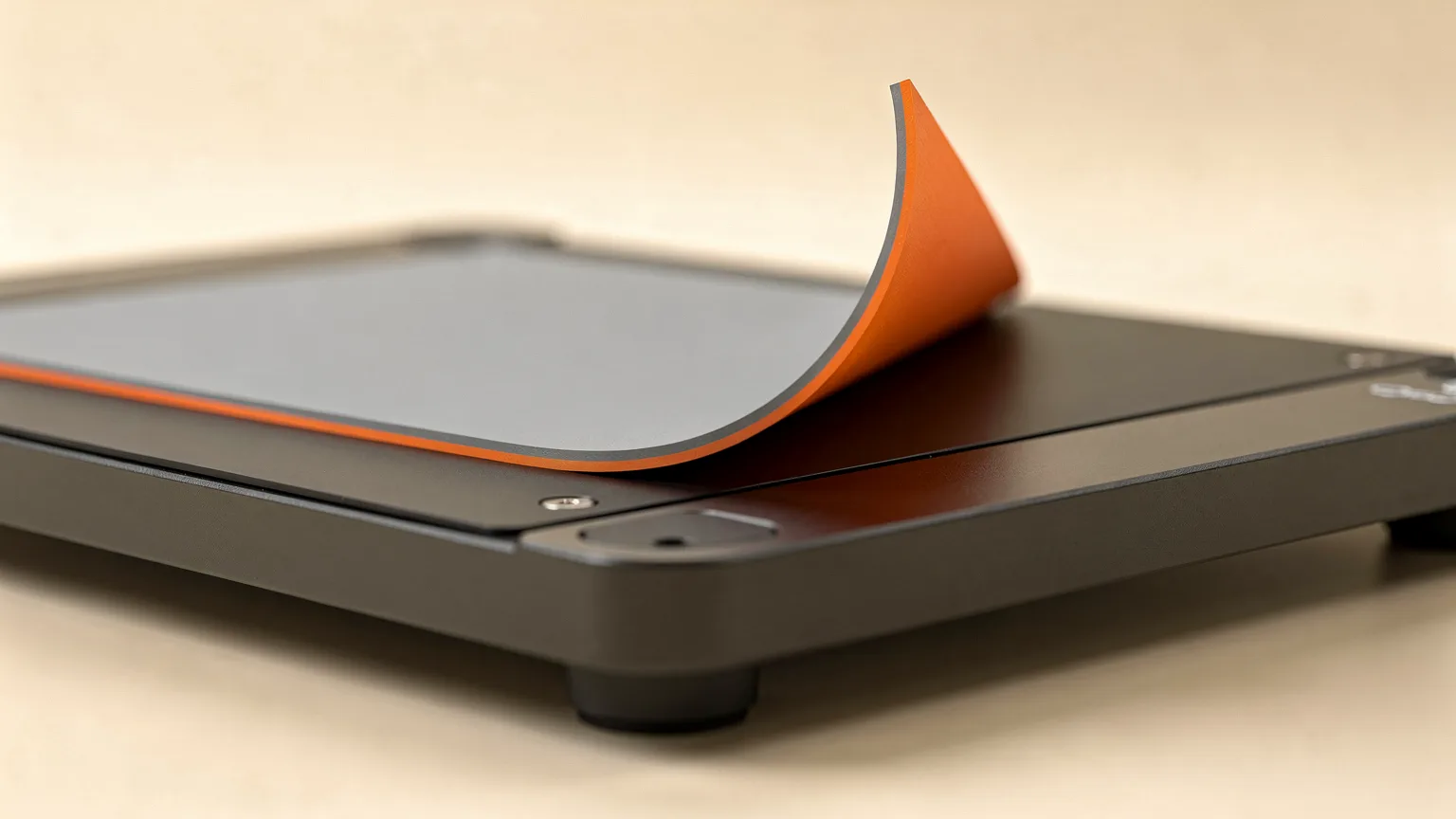
Warping is when the corners or edges of a print curl up and away from the build plate. It happens because plastic shrinks as it cools. The bottom layers are held flat by the bed, the upper layers keep contracting, and the corners get pulled up. This guide lists the fixes in the order worth trying them. It is based on maker documentation, not our own print tests, so treat every setting as a starting point.
| What you see | Likely cause | Try first |
|---|---|---|
| Corners lift in the first few layers | Weak adhesion or fast cooling | Clean the plate, add a brim |
| Large flat parts bow upward | Shrinkage stress, cold air around the part | Stop drafts, slow down, consider an enclosure |
| Print detaches mid-print | Warped corner or poor first layer | Fix first layer, add brim or small tabs |
| Warping with PETG, plus stringing or rough lines | Wet filament | Dry the spool |
Why 3D prints warp
Prusa's knowledge base describes warping as mostly a problem with large objects and high-temperature materials such as PC Blend, ASA and ABS. The root cause it gives is a sudden temperature difference between the melting temperature at the nozzle and the ambient temperature around the print. The plastic cools, shrinks and warps.
Bambu Lab's wiki describes the same mechanism for its P2S and X2D printers: the outer edges of the print cool faster than the center, and the resulting thermal shrinkage tension pulls the corners of the first layer upward. In severe cases the model can detach from the plate or collapse.
1. Clean the build plate and match the plate type
Grease and dust are the most common reason a first layer lets go. Prusa recommends wiping the sheet with isopropyl alcohol of 90% or stronger, and notes that a thin layer of glue stick on a cold steel sheet can help adhesion and protect the surface. Bambu Lab recommends washing the plate with warm water and dish soap, drying it, and not touching the surface with bare hands afterwards.
Also check that the plate type chosen in the slicer matches the plate you are using. Bambu Lab points out that the same filament uses different heatbed temperatures on different plates, so the wrong selection can leave the bed too cool and cause warping.
2. Check the first layer and dry the filament
Sparse or poorly bonded first-layer lines make warping far more likely. Prusa suggests lowering the live Z adjustment slightly to improve adhesion, but warns against over-squishing the first layer. Our guide to fixing a bad first layer and the bed leveling guide cover this in detail.
Bambu Lab also lists moisture as a cause. It says moisture-prone filaments such as PETG become less stable during extrusion once they absorb water, which makes poor adhesion and warping more likely. See how to dry filament.
3. Keep the air around the print stable
Prusa advises keeping the ambient temperature stable for high-temperature filaments and keeping the printer away from open windows and air conditioning. For PC Blend, ASA and ABS it suggests an enclosure. It also notes that printing PLA or PETG in an enclosure might not be a good idea, because those materials need cooling. If you are weighing an enclosure, read enclosed vs open-frame 3D printers. Material specifics for ABS are in ABS print settings and how to stop ABS cracking.
A printed skirt used as a draft shield helps hold heat around the part, according to Prusa. Printing several objects at once also retains heat, and placing a problem part toward the center of the bed can help.
4. Tune part cooling
Cooling is a balance. Prusa says PLA and PETG need part cooling, so check the fan is on and try raising its speed if corners lift. For ABS and PC Blend it suggests trying low fan speeds of 10 to 20%. Too much fan can warp the whole object and weaken layer bonding, and if layer adhesion drops after raising the fan, Prusa says to raise the nozzle temperature to restore it.
Bambu Lab's P2S and X2D guide gives a specific starting point for those printers: set no cooling for the first 3 layers with the fan at 0, and reduce the auxiliary part cooling fan by about 20 to 30%, or set it to about 40 to 50%. Those values are for those printers, so treat them as an example rather than a universal rule.
5. Add a brim and slow down
A brim adds extra outlines around the first layer to increase contact area. Prusa recommends at least a 3 mm brim and calls it especially useful for tall objects with small bases and for several small objects printed together. Bambu Studio can also add brim ears only at the sharp corners that tend to lift, which saves material and cleanup. Our brim vs raft vs skirt page explains the options.
Slower printing helps too. Prusa says reducing print speed lets layers melt together properly and warp less.
Quick confirmation. After each change, print a flat rectangle about as wide as your bed allows, one or two layers thick, or a part that warped before. If the corners stay flat and the print releases only when the bed cools, the fix worked. Change one thing at a time so you know which step helped.
Material notes
Prusa advises using the maker's default slicer profile for the material, since these are already refined. ABS, ASA and PC Blend warp most, PLA least. If you are choosing a filament partly to avoid warping, see PLA vs PETG vs ABS vs TPU.
Frequently asked questions
Why do my 3D prints warp at the corners?
The plastic shrinks as it cools, and the corners are where that shrinkage stress is greatest. Weak bed adhesion, drafts, too much part cooling and a large flat footprint all make it worse.
Does a brim stop warping?
A brim increases the contact area of the first layer, which helps hold corners down. Prusa recommends at least 3 mm. It reduces warping but does not remove the cause, so combine it with a clean plate and stable air around the print.
Do I need an enclosure to stop warping?
For ABS, ASA and PC Blend, Prusa suggests an enclosure to keep the temperature stable. For PLA and PETG, which need cooling, Prusa notes that an enclosure might not be a good idea.
Can wet filament cause warping?
Bambu Lab lists moisture in absorbent filaments such as PETG as a cause of unstable extrusion, poor adhesion and warping. Drying the spool is a cheap thing to rule out.
Sources

Founder and editor
Software engineer since 2009 and Head of Engineering by day, a maker who has owned several 3D printers, writing practical guides to 3D printers, filament and running costs, with every article saying what was and was not tested.
Keep reading
How to Fix a Nozzle That Is Too Close to the Bed (Z Offset)
A nozzle set too close squashes the first layer and can scrape the plate. Here is how to recognise it, raise the Z offset safely and make the setting stick.
10 October 2026 · 4 min read
3D Printer Problems and Fixes: A Troubleshooting Guide
A symptom-first guide to common 3D printer problems: what causes them and what to try first, based on manufacturer troubleshooting documentation.
10 October 2026 · 7 min read
How to Clean a 3D Printer Nozzle and Fix a Clog
How to spot a clogged nozzle and clear it, from a hot push and needle clean to a cold pull, plus prevention tips. Steps follow Prusa's documentation.
10 October 2026 · 7 min read