Bambu AMS Jam: How to Fix a Filament Jam
A Bambu AMS jam usually traces to the spool, a tangle, worn PTFE tubing or broken filament in the hub. Here is the order Bambu Lab's wiki suggests checking.
By Sepehr Sabbagh-pour · Published 12 October 2026 · 7 min read
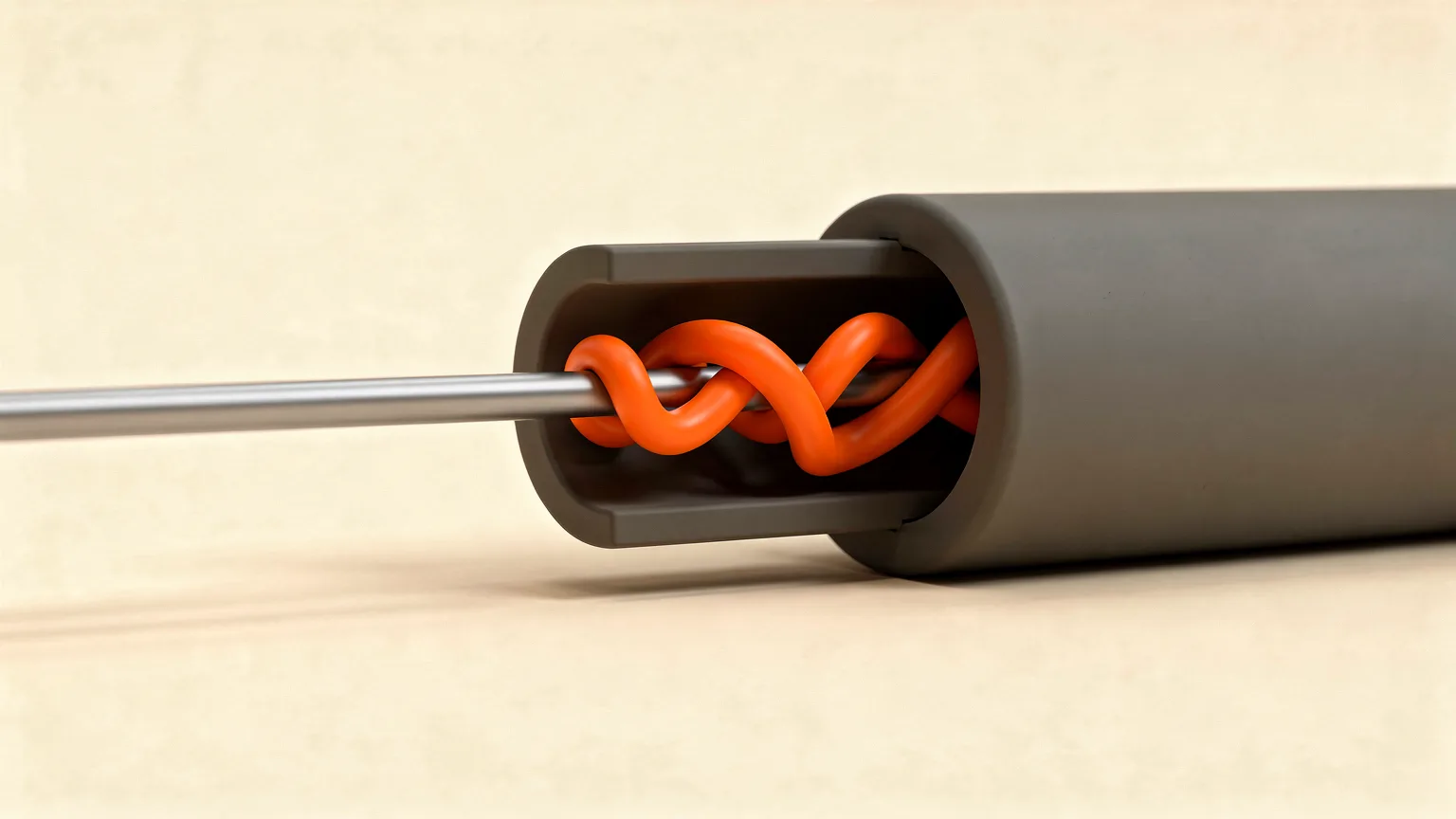
A Bambu AMS jam is a failure to feed filament from the Automatic Material System to the extruder, usually reported as HMS code 0700-7000-0002-0002. Bambu Lab's wiki traces it to six causes: tangles, a wrong spool, a worn feeder funnel, broken rollers, and worn or over-bent PTFE tubes.
Research-based guide. Everything here comes from Bambu Lab's own wiki pages, listed under sources. Nozzle Notes has not taken apart an AMS for this article. Some of Bambu's AMS pages are still marked under construction, and procedures differ between AMS versions, so follow the maker's video and wiki page for your unit and open a support ticket if you are unsure.
What causes a Bambu AMS jam?
Bambu Lab's feed-failure page lists these root causes for the AMS failing to feed filament to the extruder:
- Filament that is tangled or sagging and stuck.
- A spool that exceeds AMS specifications, or a cardboard spool.
- A seriously worn feed funnel on the first-stage feeder.
- A broken roller support on the first-stage feeder.
- A worn PTFE tube inside the AMS.
- An over-bent PTFE tube between the AMS and the printer.
A separate Bambu page covers a different cause: filament that has snapped somewhere in the path. Very dry or old filament can become brittle, and the page says brittle filament can break inside the filament path.
The same fault appears under different codes for each unit in a multi-AMS setup. Bambu lists 0700-7000-0002-0002 for AMS 1, 0701 for AMS 2, 0702 for AMS 3 and 0703 for AMS 4, all with the same meaning.
How do you fix a Bambu AMS jam step by step?
Fix a Bambu AMS jam by working through Bambu Lab's checklist in order, from the cheapest checks to the ones that need disassembly. Stop as soon as feeding works again.
- Check the spool. Bambu says the width should be 50 to 68 mm and the diameter 197 to 202 mm. Rotate the spool back and forth and feel for resistance at any position, since some spools are deformed.
- Check for tangles and sag. Look for filament that has crossed over itself on the spool or sagged and stuck. Avoid filaments the AMS does not support, such as TPU or damp PVA.
- Check the feed funnel. If the funnel on the first-stage feeder is seriously worn, Bambu points to its wiki for the replacement procedure.
- Check the buffer and hub springs. Bambu shows a stuck spring in the AMS buffer or hub next to a healthy one for comparison.
- Check the PTFE tube inside the AMS. Bambu says to disassemble the AMS and look for wear.
- Check the roller supports. If one is broken, Bambu says to contact its after-sales support for a replacement.
- Check the tube between the AMS and the printer. Bambu says excessive bending adds resistance during feeding and retraction. Straighten the run.
If the fault persists after all seven, Bambu Lab says to submit a customer support ticket.
| Symptom | Likely cause (per Bambu Lab) | First action |
|---|---|---|
| Spool binds when turned by hand | Deformed or out-of-spec spool | Check width and diameter, change spool |
| Filament crossed over on the spool | Tangle or sagging | Untangle and rewind carefully |
| Feed fails on TPU or damp PVA | Unsupported filament | Remove it from the AMS |
| Feed fails, tube between AMS and printer is kinked | Over-bent PTFE tube | Straighten the tube run |
| Filament snapped in the path | Brittle filament, worn tube | Remove the tube, clear the broken piece |
| Red LED stays on after filament is pulled out | Broken filament in the hub or a faulty sensor | Inspect and clean the hub |
How do you remove broken filament from the AMS?
Remove broken filament by taking out the PTFE tube it is stuck in and clearing the piece. Bambu Lab's wiki says there are several tubes between the extruder and the AMS, and it has separate guides for each of these:
- The extruder PTFE tube.
- The filament buffer PTFE tubing.
- The PTFE tubes for the AMS hub.
- The internal AMS PTFE tubing.
If a broken piece will not fall out, Bambu suggests inserting a new, longer piece of filament at one end to push the broken piece toward the other end. The page also notes that PTFE tubes are consumables that wear as filament rubs against them. Unreplaced worn tubes can cause feeding failures and filament accumulating inside the AMS.
Snapped filament is often a storage problem as well as a mechanical one. Old, dry spools turn brittle, so read how to store filament and how to dry filament to avoid repeating it.
How do you clean a jammed AMS hub?
Clean the AMS hub by removing it from the printer and clearing any broken filament inside. Bambu Lab's hub cleaning page separates two cases. If the filament broke at the PTFE tube, it is often enough to pull the tube out and the filament with it. If it broke inside the hub, the hub needs disassembling.
- Remove the hub from the printer and disconnect its cables and the filament tube to each AMS.
- Unscrew the three screws with an H1.5 hex key and take out the board assembly.
- Press the tube connector to release the PTFE tube and remove any broken filament.
- Remove the filament tube joint on the right side, undo four screws to open the cover, and clean out internal dirt.
- Reassemble in reverse, confirm the spring is seated, reconnect the tube and refit the hub to the printer.
Bambu points to its video content for removing and refitting the hub. If you are not comfortable opening it, contact Bambu Lab support first.
What does the AMS LED tell you about a jam?
The LED on each AMS slot is a quick check on the pre-loading stage. Bambu Lab's loading and unloading page says that when everything is normal, the LED stays on in white after you insert filament and is off when no filament is inserted.
The page gives these pointers for failed pre-loading:
- If the LED does not change after you insert filament, the first-stage feeder sensor may be faulty. Bambu suggests cleaning the Hall sensor and trying again.
- If the LED changes but the motor does not pull the filament in, a loose motor wire or a faulty motor is possible.
- If the motor shaft or gear turns but the filament is not delivered, the gear may be faulty. Bambu asks you to record a video and contact support.
- If the filament has been fully pulled out but the LED stays red, there may be broken filament in the internal hub unit or a faulty sensor.
The second and third cases are hardware faults, not user-fixable jams, so they belong with support rather than with a home repair.
How do you prevent AMS jams?
Prevent most jams by keeping spools in spec, keeping filament in good condition and inspecting the tubes. From Bambu Lab's pages, the practical habits are:
- Use spools within the 50 to 68 mm width and 197 to 202 mm diameter range, and avoid cardboard spools.
- Keep TPU and damp PVA out of the AMS.
- Do not leave old, very dry filament in the path, since it turns brittle and can snap.
- Check the PTFE tubes for wear as part of regular maintenance, and replace worn ones.
- Keep the tube between the AMS and the printer free of sharp bends.
Our 3D printer maintenance checklist shows where tube checks fit in a regular routine. For which filaments suit Bambu machines, see the Bambu Lab filament guide, and for how multi-material printing works, read multicolor 3D printing explained.
Is it the AMS or the hotend?
A jam in the AMS stops filament reaching the extruder. A clog in the hotend blocks it after the extruder. If the AMS feeds filament to the toolhead but nothing comes out of the nozzle, you are in hotend territory, so use our guide to a clogged nozzle. If the extruder is clicking or grinding, see fix extruder clicking. To work out printing costs when waste filament builds up from jams, try the print cost calculator.
Frequently asked questions
The short answers: a Bambu AMS jam usually comes from the spool, a tangle, a worn or bent PTFE tube or a snapped piece of filament. Check them in that order, clear any broken filament by removing the tube, and contact Bambu Lab support if the fault survives the checklist.
Frequently asked questions
Why does my Bambu AMS keep jamming?
Bambu Lab's wiki lists six root causes for an AMS that fails to feed filament to the extruder: filament that is tangled or sagging and stuck, a spool that exceeds AMS specifications or is made of cardboard, a badly worn feed funnel on the first-stage feeder, a broken roller support on that feeder, a worn PTFE tube inside the AMS, and an over-bent PTFE tube between the AMS and the printer. Brittle filament that snaps inside the path is another common source of blockages. Work through them in order, starting with the spool and the filament path, because those are the cheapest to check and need no tools or disassembly.
What spool size does the Bambu AMS support?
Bambu Lab's troubleshooting page says to check that the spool width is between 50 and 68 mm and the diameter is between 197 and 202 mm. It also says to rotate the spool back and forth to check for deformation, because some spools bind at certain positions and add too much resistance. The same page lists a cardboard spool as a possible cause of feeding failure. If a spool is outside those dimensions, warped or hard to turn, the AMS motors have to pull harder than designed, which can lead to a failed feed. Rewinding onto a compliant spool or feeding that filament from outside the AMS avoids the problem.
How do you clear broken filament in a Bambu AMS?
Bambu Lab's wiki says to find where the filament broke and remove the PTFE tube at that point. Separate guides cover the extruder tube, the filament buffer tube, the AMS hub tubes and the tubing inside the AMS. If a broken piece will not fall out of the tube, Bambu suggests inserting a new, longer piece of filament at one end to push the broken piece through to the other end. If the filament snapped inside the hub, the hub guide says to remove the hub, take out three screws with an H1.5 hex key to release the board assembly, disconnect the PTFE tube, and remove any broken pieces.
Which filaments should not go in the AMS?
Bambu Lab's troubleshooting page for the feed failure says to avoid filaments the AMS does not support, and it names TPU and damp PVA as examples. Its broken filament guide also warns that very dry or old filament can become brittle and snap inside the filament path. In practice that means checking Bambu Lab's compatibility information for any specialty filament before loading it, and keeping spools in good condition. Flexible, damp or brittle materials are the likeliest to tangle, stick or break, so feed them in another way or leave them out of the AMS. Bambu Lab also lists spool size limits of 50 to 68 mm wide and 197 to 202 mm in diameter, so a spool outside those limits is a poor fit even when the filament itself is supported. When a feed fails, the first things to check are the spool, tangles and the condition of the filament.
Do AMS PTFE tubes wear out?
Yes. Bambu Lab's broken filament page says the PTFE tubes are consumables at risk of wear because they can rub against the filament over time. It recommends checking them for wear during machine maintenance. If worn tubes are not replaced in time, the page says this may lead to feeding failures and filament accumulating inside the AMS. The feed-failure checklist lists both the PTFE tube inside the AMS and the tube between the AMS and the printer as possible causes, the latter when it is bent too sharply. Bambu publishes separate replacement guides for the extruder tube, filament buffer tube, AMS hub tubes and internal AMS tubing.
Sources

Founder and editor
Software engineer since 2009 and Head of Engineering by day, a maker who has owned several 3D printers, writing practical guides to 3D printers, filament and running costs, with every article saying what was and was not tested.
Keep reading
Heat Creep 3D Printer Jams: Causes and Fixes
What heat creep is, how to tell it from an ordinary clog, and the cooling, enclosure and settings fixes Prusa's documentation recommends.
11 October 2026 · 6 min read
3D Print Missing Details? Why Slicers Drop Small Features
A 3D print missing details usually means the slicer dropped features thinner than one extrusion line. Wall settings, a smaller nozzle or a thicker model bring them back.
11 October 2026 · 5 min read
Supports Stuck to Print? How to Fix and Prevent It
Supports that will not come off are a slicer settings problem. Open the Z distance, thin the interface and pick an easier pattern, in that order.
11 October 2026 · 5 min read