Polycarbonate Filament: Strength, Heat and What It Needs
Polycarbonate is strong and heat resistant but one of the harder filaments to print. Here is what it is good for and what your printer needs first.
By Sepehr Sabbagh-pour · Published · 4 min read
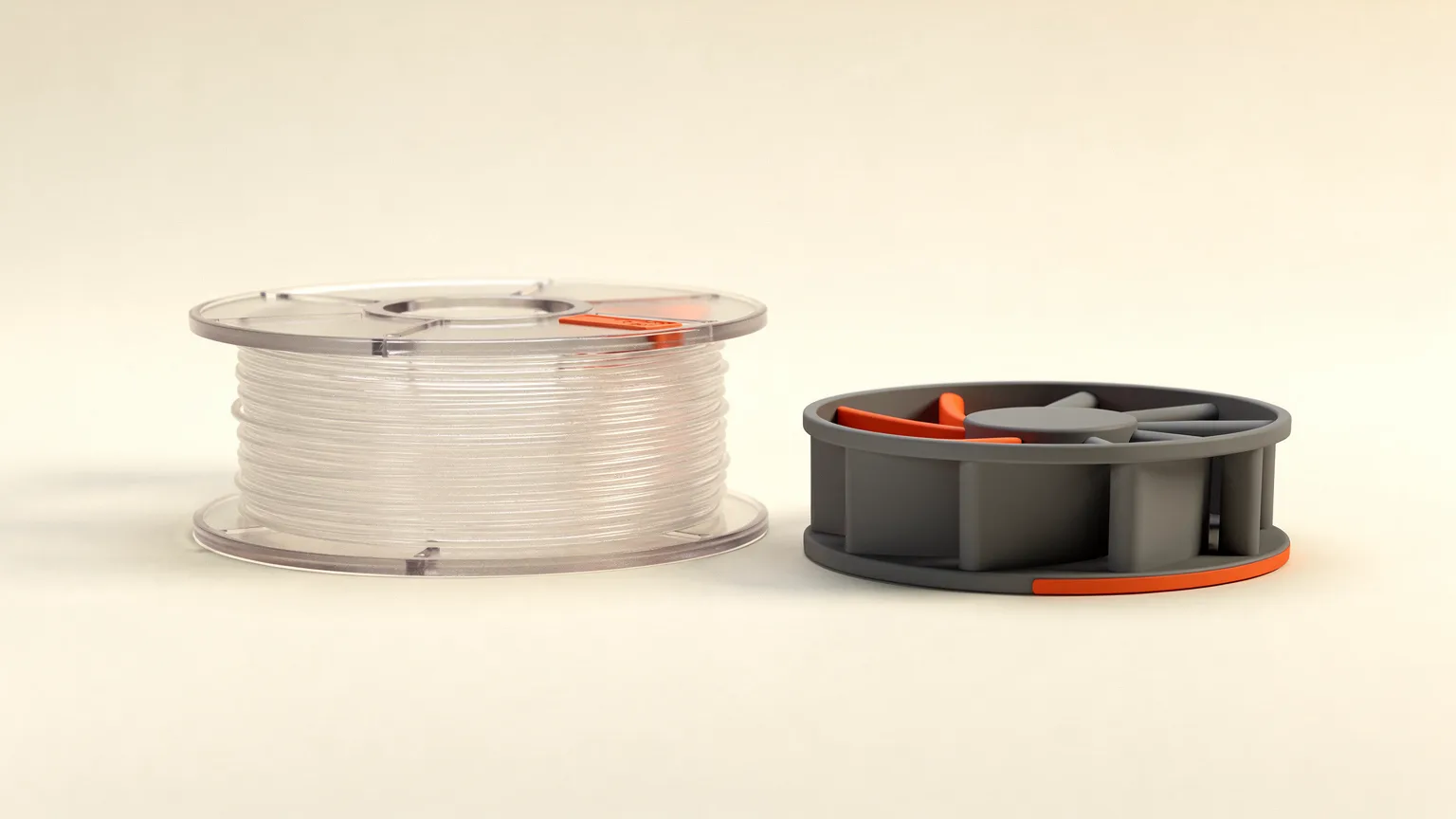
Polycarbonate filament (PC) is a strong, heat-resistant engineering plastic for 3D printing. It suits technical parts such as fan shrouds, but Prusa rates it very hard to print because it warps heavily, absorbs moisture and needs a very hot nozzle and bed.
This guide covers what polycarbonate is good for, the temperatures and printer features it needs, and when an easier filament does the job. The figures come from Prusa and Polymaker documentation, not from prints made by Nozzle Notes.
What is polycarbonate filament?
Polycarbonate is an engineering thermoplastic. Prusa's knowledge base describes it as having great tenacity, tensile strength and heat resistance, plus good electrical insulation and, in pure form, transparency. Its best use, according to Prusa, is technical parts that need heat and mechanical resistance, and the sample prints it lists include a fan shroud, pulley linear bearings, hinges and an air filter cover.
Prusa also says polycarbonate is very hard to print and suitable mainly for advanced users. Beginners are advised to start with PLA or PETG. Our types of 3D printer filament guide shows where PC sits among the common materials.
What is PC Blend, and how is it different from pure polycarbonate?
PC Blend is a polycarbonate-based filament with additives that make it easier to print. Prusa's launch post says pure polycarbonate is poorly suited to printing, and that its Prusament PC Blend adds carefully picked additives to improve adhesion and reduce cracking and warping. Prusa lists high-temperature resistance of up to 113 °C (235 °F) for it, and notes that PLA starts to deform at about 55 °C.
Prusa's help article says PC Blend is easier to print than other polycarbonates but still requires some experience. Many spools sold as "PC" are blends or filled grades, so read the maker's page for the exact product before you buy.
What temperatures does polycarbonate need?
Polycarbonate needs a nozzle around 275 °C and a bed around 110 °C. These are Prusa's recommendations for Prusament PC Blend, and other makers' spools differ, so your spool's label wins over any table.
| Prusament PC Blend (Prusa) | |
|---|---|
| Nozzle temperature | 275 ± 10 °C |
| Bed temperature | 110 ± 10 °C (Prusa's help article lists 110 °C first layer, 115 °C after) |
| Enclosure | Recommended |
| Bed surface | Powder-coated sheet with a glue stick; avoid smooth PEI |
| Drying | 85 °C for 5 hours (Prusa's drying table) |
For comparison, Prusa's PLA guide recommends 210 to 215 °C at the nozzle. Many entry-level printers cannot reach 275 °C or a 110 °C bed, so check your hotend and bed ratings first. See our hotends and nozzle materials guide, and note that Prusa says carbon fiber PC Blend needs a hardened nozzle.
Do you need an enclosure to print polycarbonate?
Yes, an enclosure is recommended. Prusa says polycarbonate tends to warp and that printing inside an enclosure helps. Without one, Prusa suggests centering the part on the bed and using a tall skirt to build a warmer microclimate around it. Polymaker's profile notes say its settings are meant to keep the ambient air as hot as possible, and warn that any cooling adds to the chance of delamination.
Prusa also warns that bed thermal runaway errors can occur when the room is below 18 °C, so keep the printer away from cold drafts. Our enclosure guide covers the options.
Why does polycarbonate warp, and how do you reduce it?
Polycarbonate warps because it shrinks as it cools, and large flat parts suffer most. Prusa says it is not suitable for models covering the whole bed. Its tips for reducing warping are:
- Choose rounded shapes over sharp corners, which warp more.
- Reduce infill density and the number of perimeters on large parts, since more of both increases warping.
- Add a brim of at least 4 mm on small parts with little bed contact.
- Center the part on the bed and use a skirt to block airflow.
For the general causes and fixes, read how to fix warping and fixing prints that will not stick.
How do you dry and store polycarbonate?
Dry polycarbonate before printing and store it airtight with desiccant. Prusa calls PC extremely hygroscopic, meaning it absorbs water from the air. Prusa's drying table lists 85 °C for 5 hours for PC Blend, 90 °C for 4 hours for PC Blend Carbon Fiber and 90 °C for 4 to 6 hours for PC Space Grade. Prusa warns not to exceed the recommended temperature, or the filament will soften and stick together, and to use an external thermometer when drying in a home oven.
Prusa's launch post says PC Blend absorbs much less moisture than other polycarbonates, so a blend may be less fussy than pure PC. See how to dry filament and how to store filament.
Is polycarbonate worth it compared with other filaments?
Polycarbonate is worth it only when a part must survive heat or load that PETG, ABS or nylon cannot. Prusa's guidance is that beginners should stay with PLA or PETG, and for many functional parts those are enough. If you need heat tolerance but want an easier job, compare ASA, ABS and nylon, which share the enclosure and drying demands.
| Question | Polycarbonate answer |
|---|---|
| Beginner friendly? | No, Prusa rates it very hard |
| Hot nozzle and bed? | Yes, about 275 °C and 110 °C |
| Enclosure? | Recommended |
| Dry before use? | Yes |
| Best for | Heat and mechanical load, such as fan shrouds and hinges |
Before you buy a spool. Confirm your hotend reaches the listed nozzle temperature, your bed reaches about 110 °C, and you have a dry, draft-free place to print. Follow the filament maker's page and your printer maker's guidance on fumes and heat.
Frequently asked questions
What is polycarbonate filament used for?
Prusa recommends polycarbonate for technical parts that need great heat and mechanical resistance. Its sample prints include a fan shroud, pulley linear bearings, a battery pack, hinges and an air filter cover. The material offers high tenacity, tensile strength and heat resistance, and pure polycarbonate is also transparent. For ordinary brackets and enclosures that never get hot or heavily loaded, PETG is much easier to print, so choose polycarbonate only when a part genuinely needs its heat and strength.
Is polycarbonate hard to print?
Yes. Prusa says polycarbonate is very hard to print and suitable mainly for advanced users, and it advises beginners to start with PLA or PETG. The difficulties are heavy warping, especially on large parts, a need for a nozzle near 275 degrees C and a bed near 110 degrees C, and its tendency to absorb moisture. Prusa's PC Blend, which has additives to improve adhesion and reduce cracking, is easier to print than other polycarbonates but still requires some experience.
Do I need an enclosure for polycarbonate?
An enclosure is recommended. Prusa says polycarbonate tends to warp and that printing inside an enclosure helps. If you do not have one, Prusa suggests placing the part in the middle of the bed and using a high skirt setting to create a warmer microclimate around it. Polymaker also notes that its polycarbonate profiles aim to keep the surrounding air as hot as possible, and that cooling increases the chance of delamination.
What temperature does polycarbonate print at?
For Prusament PC Blend, Prusa recommends a nozzle temperature of 275 degrees C, give or take 10, and a bed temperature of 110 degrees C, give or take 10. Its help article lists 110 degrees C for the first layer and 115 degrees C afterward. Other makers' polycarbonate spools can differ, so use the temperatures printed on your spool, and check that your printer's hotend and bed can reach them before you buy.
Does polycarbonate filament need drying?
Yes, treat it as a filament to dry before printing. Prusa describes polycarbonate as extremely hygroscopic and advises airtight storage with silica gel plus oven drying before use. Its drying table lists 85 degrees C for 5 hours for PC Blend and 90 degrees C for 4 hours for PC Blend Carbon Fiber. Do not exceed the recommended temperature, or the filament softens and sticks together, and use an external thermometer if you dry in a home oven.
Sources

Founder and editor
Software engineer since 2009 and Head of Engineering by day, a maker who has owned several 3D printers, writing practical guides to 3D printers, filament and running costs, with every article saying what was and was not tested.
Drafted with AI assistance, then edited and reviewed by Sepehr before it goes live. How we use AI.
Keep reading
 AI illustration
Nylon 3D Printer Filament: What It Is and What It Needs
Nylon is tough, slippery and heat tolerant, but it needs a hot nozzle, a dry spool and usually an enclosure. Here is what it is…
Types of 3D Printer Filament: PLA, PETG, ABS, TPU and More
Six plastics cover most home printing, plus filled and specialty blends. Here is what each is good at, what it demands from your…
 AI illustration
3D Printer Enclosure: Do You Need One and Which to Get
An enclosure matters for ABS, ASA and nylon and does little for PLA. Here is when to get one, what it cannot do, and how buying…