To replace a 3D printer nozzle, power down or heat the printer as your model requires, remove the filament, then either pull out a quick-swap hotend or unscrew the old nozzle while holding the heater block. Fit the new one, tighten it without over-torquing, reload filament and recheck the first layer.
Research-based guide. This article is compiled from manufacturer documentation and has not been checked on a test printer. Treat every figure as a starting point and follow your own printer's manual where it differs.
When should you replace a 3D printer nozzle?
Replace it when it is worn, damaged or the wrong type for what you want to print, not as a first reaction to a clog. Prusa lists two main reasons: the nozzle is worn out, or you want a different nozzle type or diameter. It adds that, unless you print abrasive materials through a brass nozzle, the stock brass nozzle should last many hundreds of printing hours, and that changing a relatively new nozzle to resolve a clog is not the solution (Prusa Knowledge Base).
Bambu Lab lists hotend clogging and hotend damage as its reasons for replacement on the A1. Before swapping anything, try clearing a clog: see how to clean a 3D printer nozzle and fixing heat creep clogs. If the goal is abrasive filament, read hotends and nozzle materials first, and nozzle sizes explained for diameters.
What kind of nozzle does your printer have?
There are two common designs, and the method differs a lot. Look at your manual before touching anything.
| Design | How the nozzle is changed | Documented example |
|---|---|---|
| Quick-swap hotend | Printer off and cool, remove cover, release a clip, pull out the whole hotend, push the new one in | Bambu Lab A1 (tool-free design) |
| Threaded nozzle in a heater block | Heat the nozzle, hold the heater block, unscrew the old nozzle, screw in the new one | Prusa MK3 family, Creality Ender-3 V3 SE |
Prusa's current printers have their own model-specific guides. Its hotend article says the right procedure depends on the model and lists separate guides for CORE One, MK4S, MK3.9S, MK4 and XL, and says all the methods are compatible with both standard and CHT nozzle diameters. Use the guide for your printer, not a generic video.
How do you replace a quick-swap hotend on a Bambu Lab A1?
Turn the printer off, let the nozzle cool, then remove the front cover and silicone sock, unclip the buckle and pull the hotend out. Bambu Lab says the A1's tool-free design means the nozzle can be replaced in a few minutes.
- Power off. Bambu Lab stresses powering off before any maintenance, because exposed wires can short circuit if the printer is on.
- Release the filament. Press the filament lever on the right to release and cut the filament, and make sure the nozzle is not hot.
- Remove the front cover and silicone sock.
- Unlock the buckle. Push the nozzle buckle to the right, then move the left side outward.
- Pull out the hotend by the heatsink section.
- Fit the new one by following the steps in reverse. Insert it slightly tilted toward the back, let the magnet help alignment, press the heatsink flush, flip the left side of the buckle, then lock the right side.
- Refit the sock and cover.
If residue stops the hotend from coming out, Bambu Lab says to heat it slightly, wear heat-resistant gloves and gently pry it loose with tweezers or a screwdriver, then cut off leftover filament at the top before reinstalling. If you change to a different diameter or material, update the nozzle information on the screen under Settings, Maintenance, Nozzle.
How do you unscrew and replace a threaded nozzle?
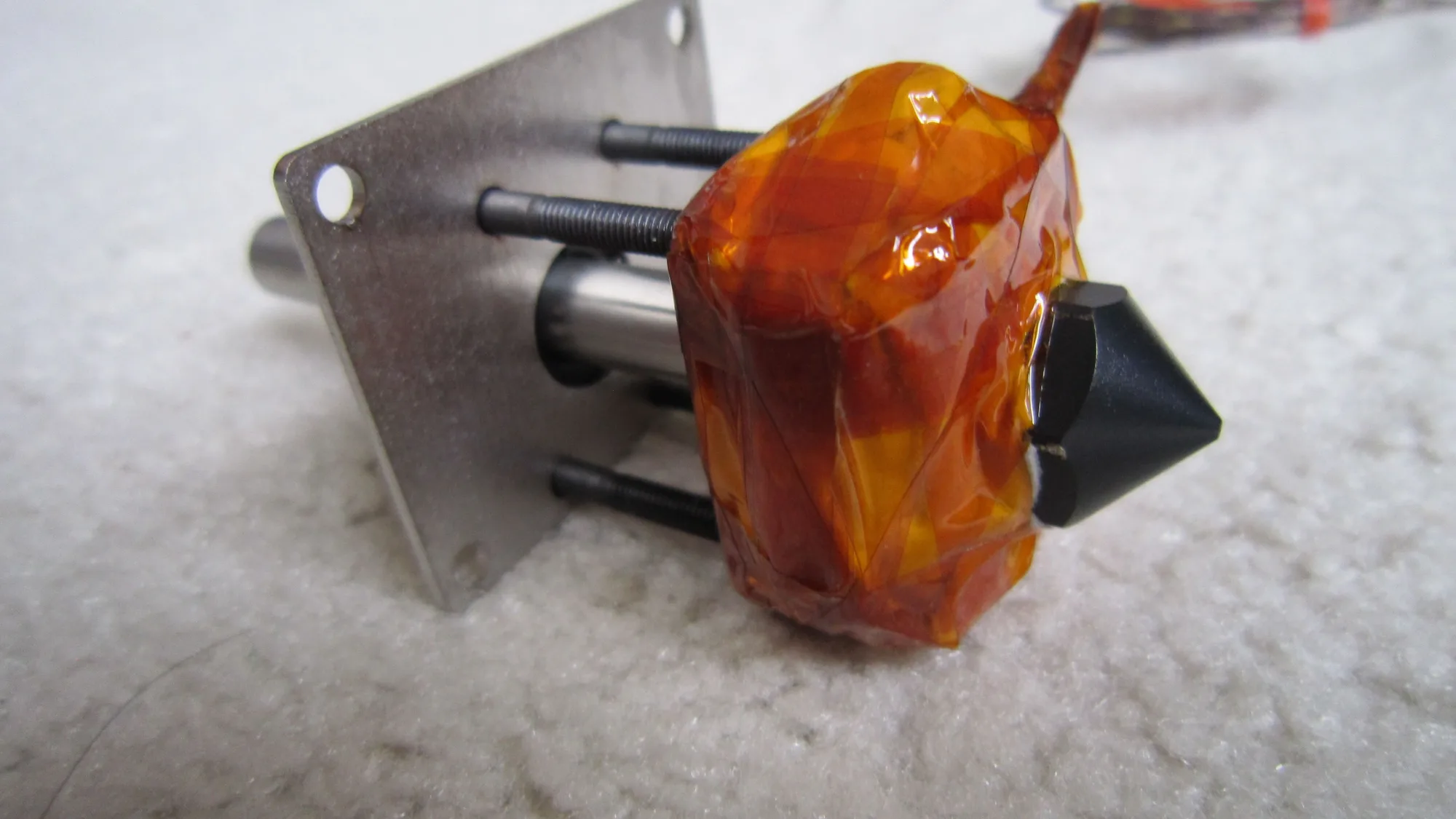
Heat it, hold the heater block still, unscrew the old nozzle, then screw in the new one and tighten it while hot. Prusa's guide for the MK3 family, which uses the E3D V6 hotend, shows the approach clearly.
- Use the printer's nozzle change routine if it has one. On those Prusa models it homes, moves the Z axis to the top and heats the nozzle to 280 degrees Celsius. Heating is essential.
- Protect yourself. Prusa warns that heated parts can cause severe burns.
- Hold the heater block with a spanner. Prusa warns to take care around the fragile heater and thermistor wires, which can break or short.
- Unscrew the old nozzle. Prusa uses pliers or, for E3D nozzles, a 7 mm spanner or socket. Put the hot nozzle on a non-flammable surface.
- Screw in the new nozzle gently but firmly while still holding the block.
- Reload and recheck. Prusa says to redo first layer calibration after replacing the nozzle.
Creality's Ender-3 V3 SE tutorial follows the same idea: retract and remove filament, set the nozzle to 240 degrees Celsius, unscrew the old nozzle with pliers, secure the new one by hand, then tighten it with a tool, and feed new filament cut at a 45 degree angle.
How tight should a nozzle be?
Snug, without crushing it, and with the right gap. Prusa's service team uses a torque wrench rated for 1 to 5 newton metres and tightens the nozzle to 2.5 newton metres, but that is a figure for Prusa's own hotends and should not be copied to other printers. Prusa also says there must always be a gap of about 0.5 mm between the nozzle and the heater block, with the nozzle tightened against the heat break while heated, because failing to do so causes leaks.
Different hotends use different torque and different procedures, so follow the figure in your manual. Never use excessive force, since you can shear a nozzle or damage the heat break.
What should you do after changing the nozzle?
Tell the printer and slicer, reload filament, and check the first layer. If you changed the diameter, the slicer profile must match or the extrusion will be wrong. Prusa notes first layer calibration must be redone, and Bambu Lab says the nozzle information must be manually updated on the screen when the specification changes.
- Update the nozzle diameter and material in the printer menu and slicer profile.
- Reload filament; see how to change filament.
- Print a small test and watch the first layer; see fix a bad first layer and how to level a 3D printer bed.
- Watch for leaks around the nozzle during the first print.
Is a spare nozzle worth keeping?
Yes, a spare of the same size is cheap insurance, and the right tools should be in your kit. The 3D printer starter kit covers basics, and the 3D printer maintenance checklist shows when a nozzle check belongs in your routine. Setting up a new machine? Start with the 3D printer setup checklist, and see the wider workflow in how to 3D print.