Build Volume Explained: How Big a Printer Do You Need?
Build volume is the largest box a 3D printer can fill, given as width, depth and height. Here is how to read the number, what typical sizes look like and how to choose.
By Sepehr Sabbagh-pour · Published · 5 min read
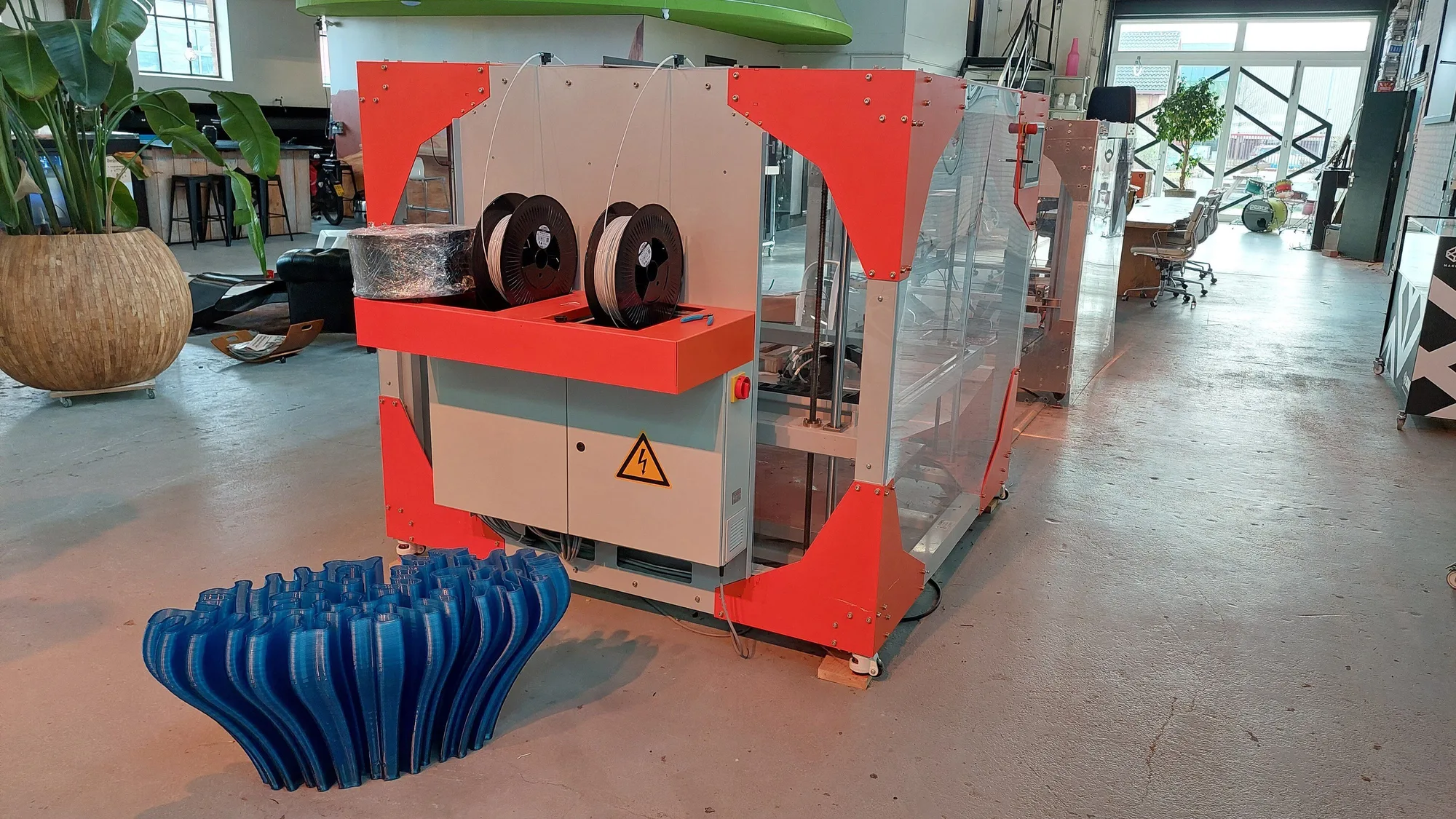
Build volume is the largest box a 3D printer can print in one piece. It is quoted as width x depth x height, almost always in millimeters. A printer listed at 256 x 256 x 256 mm can, in theory, make an object up to 25.6 cm in every direction.
This is a research explainer based on maker specification pages, not a test. The numbers below come from the pages listed under sources and were checked on 2026-10-10.
How to read a build volume
The three numbers are the X axis (left to right), the Y axis (front to back) and the Z axis (up). A printer with a cube-shaped volume, such as 256 x 256 x 256 mm, treats all three the same. Others are not cubes: the Prusa CORE One+ (Gen 2) is listed at 250 x 220 x 270 mm, so it is taller than it is deep.
Some makers also give the volume in liters. Multiply the three sides in millimeters and divide by one million. For example, 250 x 220 x 270 mm is 14,850,000 cubic millimeters, or about 14.9 liters, which matches the figure Prusa prints on its CORE One+ page.
Volume in liters is a rough size guide only. What decides whether a model fits is each individual side, because a long, thin part can fit a printer with a small total volume if one axis is long enough.
Typical build volumes on popular printers
These figures are the makers' own specifications for a few well-known desktop printers.
| Printer | Build volume (W x D x H) | Approx. liters |
|---|---|---|
| Bambu Lab A1 mini | 180 x 180 x 180 mm | 5.8 |
| Prusa MK4S | 250 x 210 x 220 mm | 11.6 |
| Prusa CORE One+ (Gen 2) | 250 x 220 x 270 mm | 14.9 |
| Bambu Lab A1 | 256 x 256 x 256 mm | 16.8 |
| Bambu Lab P1S | 256 x 256 x 256 mm | 16.8 |
| Elegoo Centauri Carbon | 256 x 256 x 256 mm | 16.8 |
| Prusa CORE One L+ | 300 x 300 x 330 mm | 29.7 |
Liters for the A1 mini, MK4S, A1, P1S and Centauri Carbon are calculated from the listed dimensions. The CORE One+ and CORE One L+ liter figures are Prusa's own.
Two patterns stand out. Many current mainstream printers settle at about 256 mm per side. Smaller, cheaper machines go down to 180 mm, and large-format machines go to 300 mm or more. If you are still choosing a machine overall, our guide to choosing a first 3D printer covers the other factors.
What the quoted number leaves out
The headline volume is the travel limit of the machine. The space you can actually fill with a model can be smaller.
- Default height limits. Bambu Lab notes on the P1S page that, to prevent heatbed damage from collisions, the default printable height in Bambu Studio is 250 mm rather than the full 256 mm. Its wiki describes how to use the remaining 6 mm.
- Parts that intrude on the plate. The same page says the collapsible filament cutter stopper occupies part of the printing area when it pops out. Maker instructions explain how to use the whole area.
- Plate versus bed size. Bambu Lab sells build plates in sizes with a stated usable print size, for example 256 x 256 mm and 180 x 180 mm. Check that the plate you buy matches the printer.
- Skirts, brims and purge lines. Adhesion helpers and purge lines also use plate area, so a model that is just inside the limit may not fit once they are added.
- Multi-material systems. Some multi-color setups use purge or wipe towers that take plate space. Check the maker's guidance if you plan to print in several colors.
As a safe rule, leave a margin of several millimeters on each side instead of designing to the exact limit.
How much build volume do you need?
Most useful household items, such as brackets, hooks, organizers, cable clips and small enclosures, are well under 180 mm in their longest dimension. A printer in the 180 to 256 mm range covers the large majority of models people download. For ideas of what to print, see what you can make with a 3D printer.
Larger volume helps in a few cases:
- One-piece large objects, such as a helmet or a long tray. Prusa markets its 300 x 300 x 330 mm CORE One L+ for jobs like a full helmet in one print.
- Printing many small parts at once, which lets one job fill the plate and save time over several jobs.
- Tall items, where the Z height is the limit.
If one model is slightly too large, it can usually be cut into pieces in a slicer or CAD program and glued, or printed diagonally across the plate, since the diagonal is longer than a side. On a 256 mm square plate the diagonal is about 362 mm before allowing for margins.
The trade-offs of a bigger volume
- Footprint. The machine grows with the volume. Bambu Lab lists physical dimensions of 347 x 315 x 365 mm for the A1 mini, 465 x 410 x 430 mm for the A1 and 389 x 389 x 458 mm for the enclosed P1S. Prusa lists 415 x 444 x 555 mm and 22.5 kg for the CORE One+ (Gen 2). Measure your desk or shelf first; see where to put a 3D printer.
- Price. Larger machines usually cost more. Prusa's own comparison table, for instance, lists the 300 x 300 x 330 mm CORE One L at a higher starting price than the CORE One+ (Gen 2). Check current listings, as prices change.
- Time and material. A bigger model uses more filament and takes longer. See 3D printer running costs and the print cost calculator to estimate this.
- Frame stiffness and heating. Large heated plates and tall frames are harder to keep stable and evenly warm. Enclosed designs help with that, as covered in enclosed vs open-frame printers.
If you only read one thing. Pick the volume from the largest object you realistically want to print, add a margin, and remember the quoted figure is a ceiling, not a guarantee of usable space. For most people, about 250 mm per side is plenty.
Related reading
Volume works together with other parts of the machine. The build plate you use decides what sticks, and the nozzle size affects how long a big print takes. If you are new to the hobby, start with how to 3D print. For a large-volume example from the maker's specs, see the Creality K2 Plus first look.
Frequently asked questions
What is build volume on a 3D printer?
Build volume is the largest space in which a printer can make an object, given as width x depth x height, usually in millimeters. A 256 x 256 x 256 mm printer can print objects up to 25.6 cm on each side.
How do I convert build volume to liters?
Multiply the three dimensions in millimeters and divide by 1,000,000. For example, 250 x 220 x 270 mm gives 14,850,000 cubic millimeters, or about 14.9 liters.
Is a bigger build volume always better?
No. A larger machine takes more desk space, usually costs more and uses more material per print. Most household models fit inside 180 to 256 mm, so extra volume matters mainly for large single-piece objects.
Can I print something bigger than my build volume?
Yes, by splitting the model into parts in a slicer or CAD program and gluing them together, or by rotating it so its longest side runs along the plate diagonal. Allow a margin for skirts, brims and any tower or purge area.
Is the usable build area smaller than the listed one?
It can be. For example, Bambu Lab says the P1S default printable height in its slicer is 250 mm, not 256 mm, and that a pop-out filament cutter stopper takes part of the plate when extended. Check the maker's notes for your model.
Sources

Founder and editor
Software engineer since 2009 and Head of Engineering by day, a maker who has owned several 3D printers, writing practical guides to 3D printers, filament and running costs, with every article saying what was and was not tested.
Drafted with AI assistance, then edited and reviewed by Sepehr before it goes live. How we use AI.
Keep reading
 AI illustration
3D Printer Enclosure: Do You Need One and Which to Get
An enclosure matters for ABS, ASA and nylon and does little for PLA. Here is when to get one, what it cannot do, and how buying…
3D Printer Starter Kit: Tools and Accessories You Actually Need
A no-fluff 3D printer starter kit built from the tool lists in Prusa and Bambu Lab maintenance documentation, with dated prices…
 AI illustration
What Is Klipper? Firmware for 3D Printers Explained
Klipper is 3D printer firmware that splits the work between a small computer and the printer board. Here is how it works, what it…