How to Fix an Extruder That Clicks or Grinds Filament
A clicking extruder means the motor cannot push the filament as hard as the nozzle resists. Find out why, starting with the most common causes.
By Sepehr Sabbagh-pour · Published · 5 min read
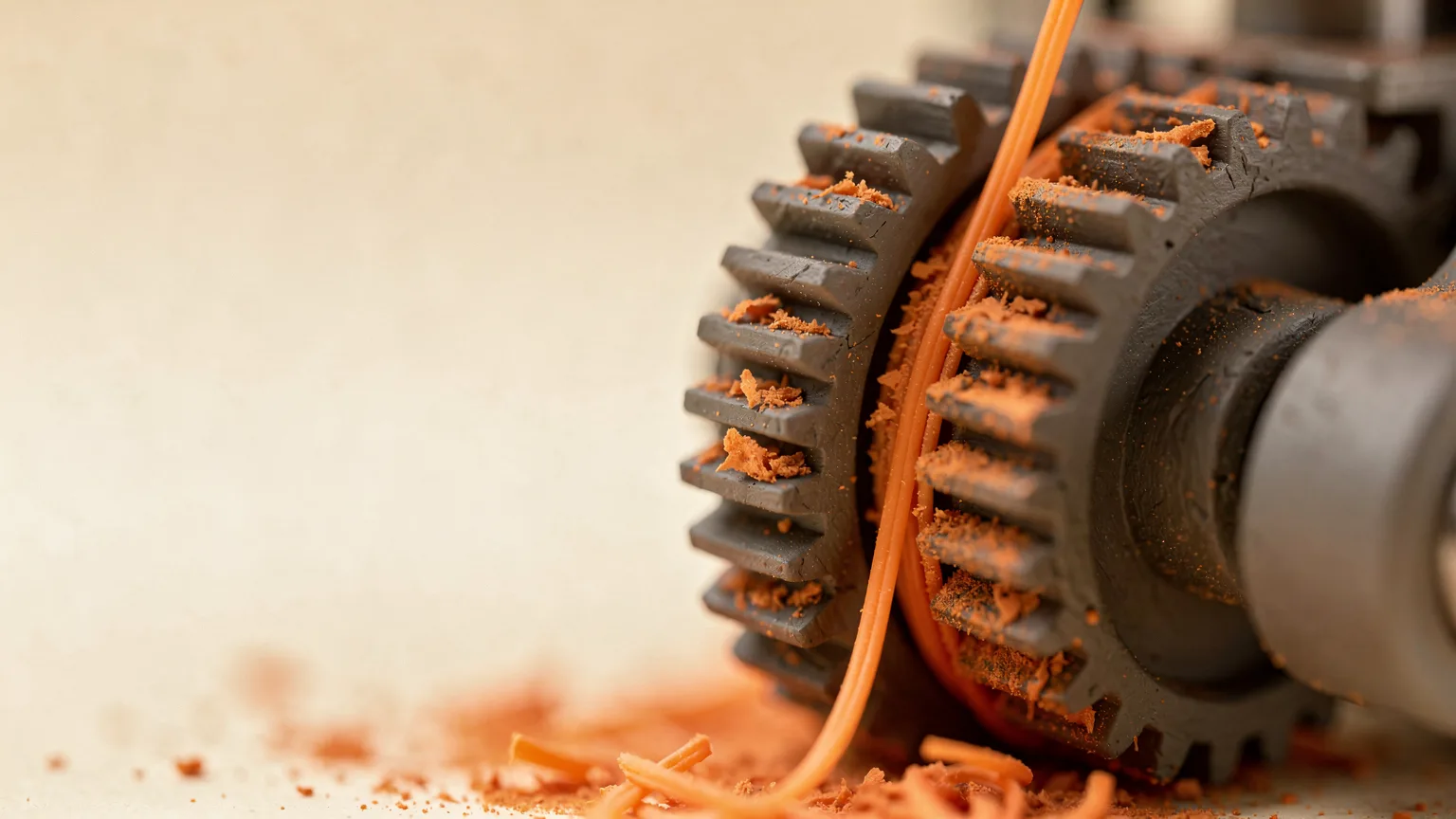
An extruder that clicks, ticks or grinds is telling you that the motor is being asked to push filament that will not move. The click is the stepper skipping, and grinding is the gear shaving a flat spot on the filament. The cause is almost always resistance somewhere between the gear and the nozzle tip, or a gear that cannot grip.
This guide is built from manufacturer documentation (Prusa and Bambu Lab) and standard practice. Treat temperatures and speeds as starting points and check your own printer's manual.
Quick symptom table
| What you see | Most likely cause | First check |
|---|---|---|
| Clicking from the first layer, nothing comes out | Clogged nozzle or wrong temperature | Heat to the right temperature and extrude by hand |
| Prints fine, then clicking after some time | Heat creep or too much speed for the hotend | Cooling fan, ambient temperature, speed |
| Filament shaved or flattened at the gear | Idler tension, dirty gear, soft filament | Clean gear, check tension |
| Clicking on retractions only | Deformed filament stuck in the extruder | Pull the filament out and inspect it |
1. Check the temperature and the speed
Filament that is not fully melted pushes back hard. Confirm the nozzle temperature matches the filament's printed range. Prusa's extruder noise guide suggests increasing hotend temperature by 5 to 15 °C if grinding occurs, and using the latest slicer and current filament presets.
Speed matters as much as temperature. Bambu Lab's clog guide notes that at very high speeds filament spends too little time in the hot zone to melt fully, and recommends reducing print speed or raising the temperature slightly. A hotend can only melt so much plastic per second, so thick layers, wide lines and fast moves together can demand more than it can deliver. See our guide to print speed versus quality for the trade-offs.
2. Look for a clog
A partial or full clog raises the resistance until the gear cannot overcome it. Prusa lists a clogged hotend as a cause and says to clean or replace it. Bambu Lab describes a simple test: with the nozzle at 220 °C and PLA loaded, extrude by hand. If the filament drops straight down, is relatively long and looks smooth, the nozzle channel is clear. A short, rough strand points to a narrowed channel or a faulty drive gear.
Fiber-filled filaments leave particles in the nozzle over time. Bambu recommends a 0.6 mm or 0.8 mm nozzle for these materials and says a 0.2 mm nozzle dramatically increases blockage risk. Our clogged nozzle guide covers clearing methods, and nozzle sizes explained helps you pick a size.
3. Rule out heat creep
The heat creep guide covers causes and fixes in more detail. If the printer prints normally for a while and then starts clicking, heat creep is a strong suspect. This is when heat climbs too far up the hotend, softens filament above the melt zone and lets it swell and jam. Prusa's guide on extrusion stopping mid-print lists these contributing factors:
- Ambient temperature above 35 °C (30 °C for some filaments).
- Insufficient airflow over the heatsink, including a dusty heatsink or a failing fan.
- A hotend temperature set higher than needed.
- Printing very thin layers so little filament flows to carry heat away.
Prusa's suggestions include cleaning dust from the heatsink, lowering the heatbed temperature by 5 or 10 °C, using a layer height of 0.15 or 0.20 mm, and unloading filament while the hotend is still hot after a print.
4. Check idler tension and gear alignment
The gear needs to grip without crushing. Prusa notes that idler screws must be balanced: if too loose the motor skips, and if too tight the gear teeth can grind the filament. Follow your printer's manual for the correct setting rather than guessing.
Prusa also says to verify that the extruder gears align with the opening above and the PTFE tube below, and that the motor shaft gear is tightened by its grub screw against the flat of the motor axis. If you run a Bowden setup, the longer tube adds friction, so a kinked or worn tube is worth checking.
5. Clean the drive gear and filament path
Shaved plastic packs into the teeth and the gear stops biting. Prusa's guide says to clear buildup with pliers or a durable pin and make sure the gears turn freely. Inspect the PTFE tube for debris. Remove the filament and trim any section that is flattened, chewed or abnormal in diameter, as Bambu advises for locally thick or thin filament.
Very soft filaments such as TPU 85A, and moisture-affected PVA, can be flattened by the drive gear, according to Bambu. Wet filament in general prints poorly, so dry it if it crackles or looks fuzzy. A spool that cannot turn freely or is tangled will also stall the feed, so check the path from the spool.
6. Confirm the first layer is not too close
If the nozzle is pressed too hard against the bed there is nowhere for plastic to go. Prusa lists first layer calibration as a cause because an incorrect nozzle height can build excessive pressure. Redo the calibration and see fixing a bad first layer.
Chamber heat. Bambu Lab notes that a too-hot printer chamber can soften PLA and PETG so the drive gear flattens them and they jam in the extruder. Its fix is to lower the chamber temperature, open the front door or top cover while printing, and prefer filaments with higher heat deformation temperatures.
Confirm the fix
Heat the nozzle, extrude 50 to 100 mm by hand and watch the strand. It should flow steadily with no clicking. Then print a small calibration object and listen during the first layer and again after 30 to 60 minutes, since heat creep only appears once the hotend has been running a while. If clicking returns, work back through the list and change one thing at a time.
Clicking that keeps coming back usually means a worn part such as the gear, heat break or tube. Replace it using the manufacturer's instructions. For routine care, see our maintenance checklist.
Using a Bambu Lab AMS? A failed feed from the AMS is a different fault, covered in fixing a Bambu AMS jam.
Frequently asked questions
Why does my extruder click when I start a print?
Usually the nozzle is clogged, too cold for the filament, or too close to the bed. Heat to the correct temperature, extrude by hand to check the flow, and recalibrate the first layer if the nozzle is pressing into the surface.
Why does the clicking start part-way through a print?
This pattern points to heat creep or a speed the hotend cannot melt fast enough. Check the heatsink fan and dust, room temperature, and try a lower speed or slightly higher temperature.
Is a clicking extruder dangerous for the printer?
The clicking itself is the motor skipping steps, which is not usually harmful in the short term, but continued grinding wears the filament and gear and ruins the print. Stop the print and find the cause.
Can the idler tension be wrong in both directions?
Yes. Prusa's documentation says too loose lets the gears slip and too tight can make the teeth grind the filament. Set it as the printer's manual describes.
Sources

Founder and editor
Software engineer since 2009 and Head of Engineering by day, a maker who has owned several 3D printers, writing practical guides to 3D printers, filament and running costs, with every article saying what was and was not tested.
Drafted with AI assistance, then edited and reviewed by Sepehr before it goes live. How we use AI.
Keep reading
 AI illustration
3D Printer Problems and Fixes: A Troubleshooting Guide
A symptom-first guide to common 3D printer problems: what causes them and what to try first, based on manufacturer…
Direct Drive vs Bowden Extruders
A direct drive extruder sits on the toolhead; a Bowden extruder sits on the frame and pushes filament through a tube. Here is how…
 AI illustration
How to Fix Ghosting and Ringing
Ghosting in 3D printing, also called ringing, is an echo of sharp edges caused by vibration. This research-based guide covers…